

Blog > AI/Tech > Graphic Design > 10 Best AI Design Tools Creatives Need (Tips, Pricing)

10 Best AI Design Tools Creatives Need (Tips, Pricing)

·
8
min read
June 19, 2026
AI design tools by Designity
Table of Contents
?
TL;DR
  • For creative control: Flora and Figma Weave are best for building repeatable AI workflows, keeping brand systems consistent, and connecting multiple steps in the creative process.
  • For UI/UX and product design: Figma AI is the strongest pick for turning rough ideas into prototypes, improving handoff, and keeping design work inside one familiar workspace.
  • For visual exploration: Midjourney is still one of the best AI design tools for mood boards, concept art, and high-quality campaign visuals.
  • For production work: Adobe Firefly, Canva Magic Studio, Recraft, and Kittl help with safer client assets, faster branded content, scalable vectors, and print-ready designs.
  • For smaller creative bottlenecks: Microsoft Designer is useful for quick comms assets, while Khroma helps designers build smarter color palettes faster.
  • The big takeaway: AI design tools can speed up the work, but taste, strategy, hierarchy, and brand judgment still need a human creative behind the wheel.

AI design tools are finally useful enough for real creative work.

Not all of them.

Some still give you shiny visual assets that fall apart fast. They look good for three seconds.

Then you need brand consistency, clean files, better layouts, or actual creative control.

That is where the better tools stand out.

They help designers move faster without flattening the work.

You can explore directions, build mood boards, generate images, edit assets, test layouts, create campaign variations, prototype ideas, refine color palettes, and get unstuck faster.

This guide covers the AI design tools worth knowing. What they do best. Where they fit. What they cost. And where your taste, strategy, and judgment still matter most.


Why AI Design Tools Deserve a Spot in Your Creative Workflow

AI design tools are no longer just fun things to test between projects.

They are becoming part of the actual work.

Figma’s State of the Designer report found that:

  • 72% of designers now use generative AI in their workflows.
  • 91% say it improves the quality of their work, not just the speed.
  • Designers increasing their AI usage are 25% more likely to report growing job satisfaction.

That’s the shift.

The value isn’t “make me a design.” It’s faster conceptualizing. More directions to explore. Cleaner production support. Better prototypes. Fewer blank-canvas spirals.

But the tool still matters.

Some are great for ideas and weak in production. Others can handle brand systems, layouts, assets, and real creative constraints.

That is what this list is here to sort out.

10 Best AI Design Tools Worth Adding to Your Creative Workflow 

Here are 10 AI design tools worth adding to your creative workflow, from concepting and image editing to UI design, brand assets, prototyping, and production: 


1. Flora: The Infinite Canvas for Serious Creative Teams
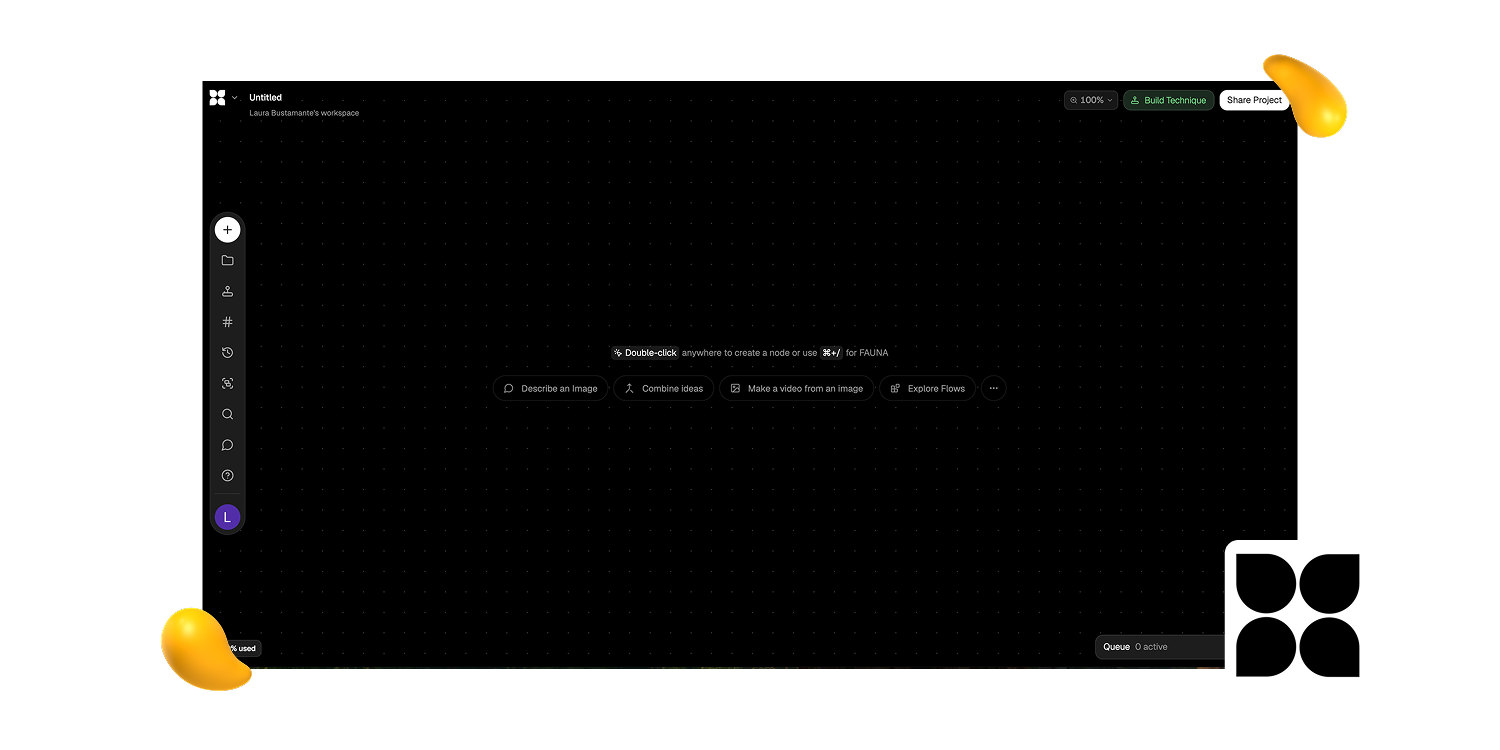
Flora homepage featured in Designity’s AI design tools guide for creative workflow automation

Flora is a node-based AI design tool that lets creatives connect text, image, and video models into reusable workflows. Think less “prompt box,” more creative control room.


Here’s why that matters:

It’s built for brand-heavy work where consistency, repeatability, and creative control actually count.

Pros:

  • Reusable text, image, and video workflows
  • Multi-model access in one place
  • Style DNA supports visual consistency


Cons:

  • Steeper learning curve
  • Better for systems than quick prompts
  • Overkill for simple social graphics

Best for: Creative professionals who want total control over multi-model AI workflows, especially for branding, concept development, e-commerce, fashion, and visual systems.

Pricing: Free tier available. Paid plans start at $16/month.


2. Figma Weave: The Workflow Layer Figma Didn't Really Announce
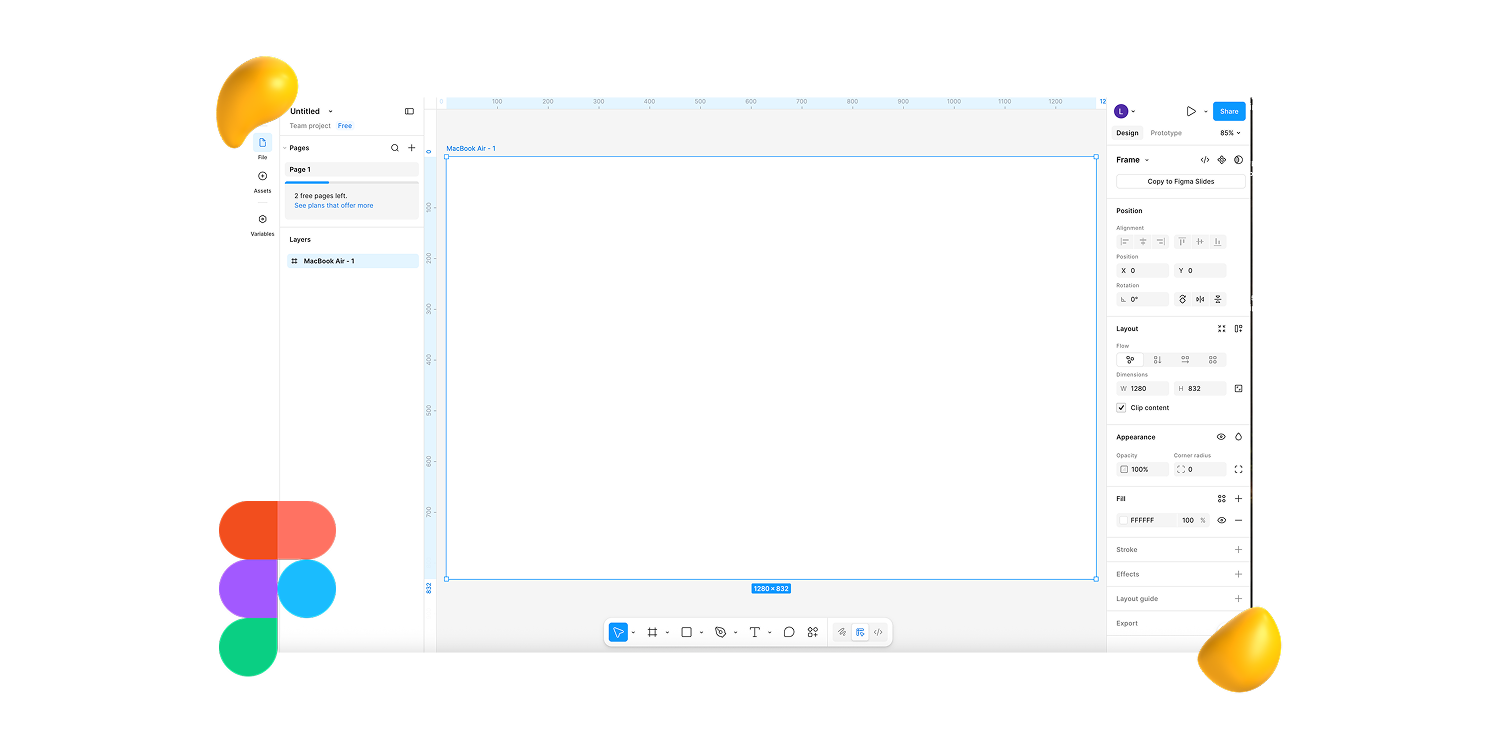
Figma Weave homepage featured in Designity’s AI design tools guide for AI-powered design workflows

Figma Weave is a node-based workflow builder that lets teams connect AI models, editing steps, and outputs inside the Figma ecosystem.

It’s less about generating one design and more about building the design process around the work.

The best part?

It helps teams automate repetitive steps without leaving Figma.

Pros:

  • Works inside the Figma ecosystem
  • Supports model-agnostic AI workflows
  • Useful for campaign variations and handoff

Cons:

  • Best if your team already uses Figma
  • Shared AI credits can run out fast
  • More workflow tool than quick design generator

Best for: Designers and teams already using Figma who want AI-powered workflows, brand consistency, campaign variations, and smoother production without switching tools.

Pricing: Included in Figma plans from $12/user/month.


3. Figma AI (Make + Design): The Platform That Stopped Being a Design Tool
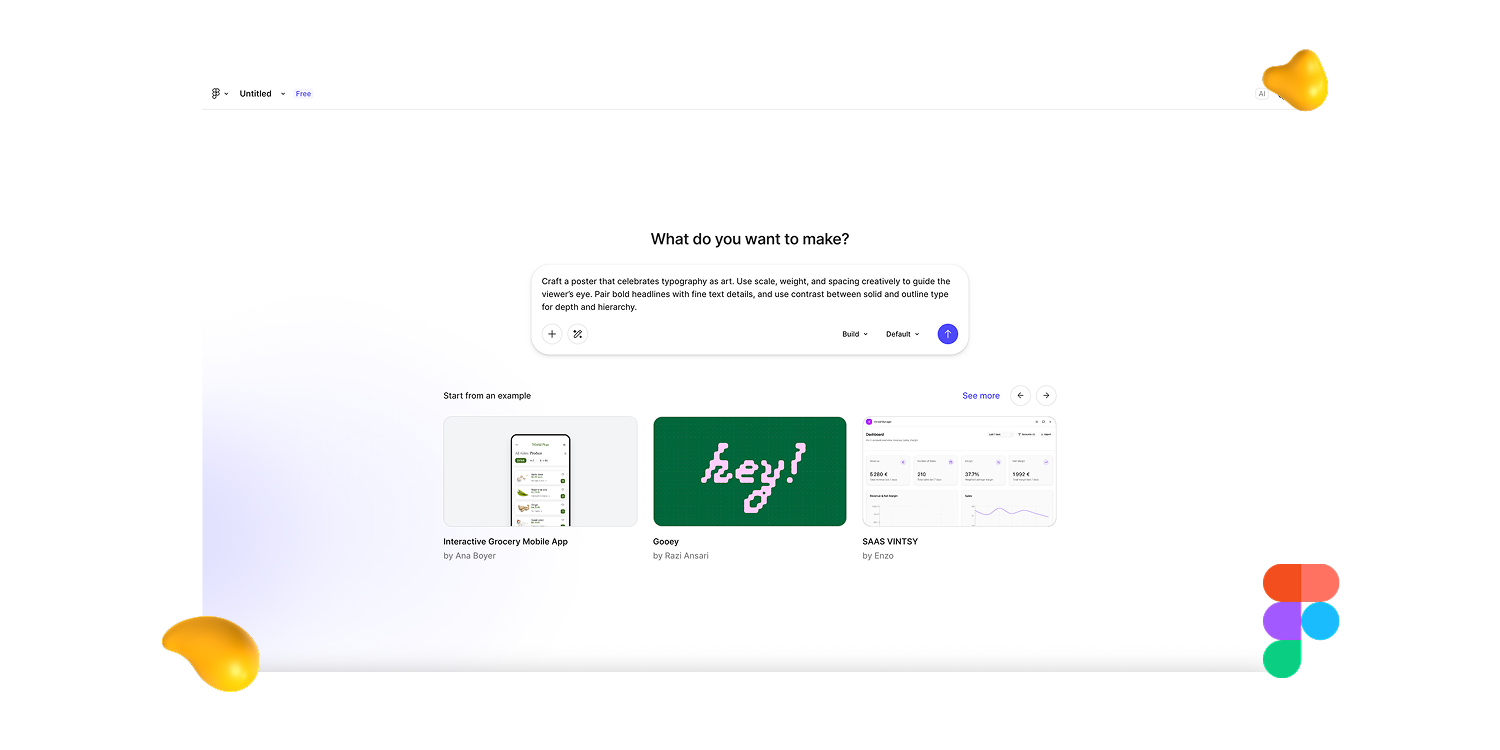
Figma AI homepage featured in Designity’s AI design tools guide for UI/UX design and prototyping

Figma AI helps product teams move from rough idea to working prototype without leaving Figma.

With Make, teams can turn prompts, images, or existing frames into interactive React apps instead of stopping at static mockups.


Why do you need to keep your creative eye on it?

It brings design, prototyping, content, image editing, asset search, and developer handoff closer together in one workflow.


Pros:

  • Turns ideas into working React prototypes
  • Strong for UI/UX and product workflows
  • Improves developer handoff with Dev Mode and Code Connect


Cons:

  • Outputs still need human QA.
  • Accessibility needs careful review.
  • Figma’s growing ecosystem can feel busy.


Best for:
Product teams, UI/UX designers, and developers who want to go from concept to prototype, design system, and cleaner handoff inside Figma.

Pricing: From $12/user/month, with Figma AI credits included in most plans.


4. Adobe Firefly: The Commercially Safe Choice
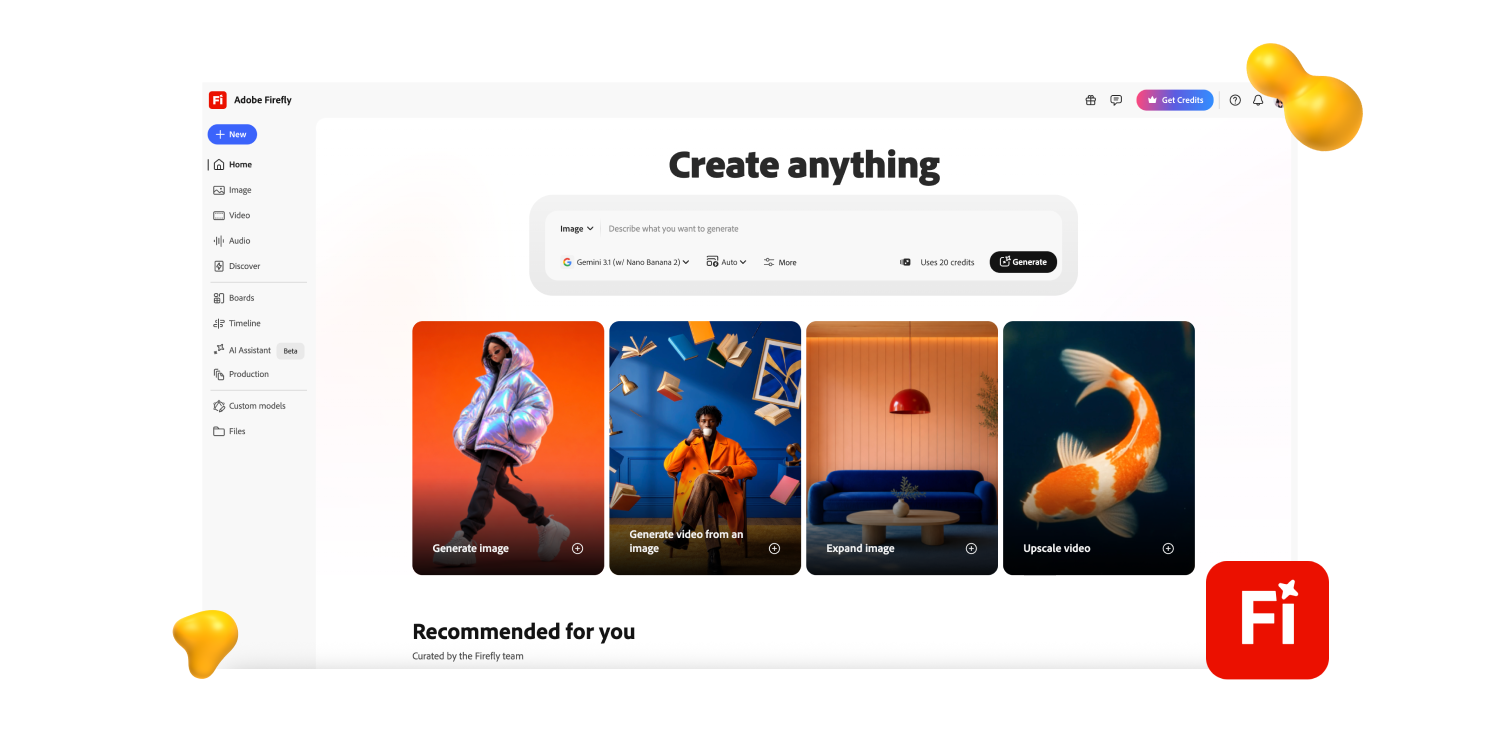
Adobe Firefly homepage featured in Designity’s AI design tools guide for image editing and production

Firefly is the commercially safer AI design tool for client work.

Adobe built it with licensed and rights-safe training sources, which makes it a practical pick for agencies and enterprise teams.


It also plugs neatly into Photoshop, where Generative Fill speeds up image extensions, background removal and swaps, and product edits.


Pros:

  • Trained on licensed content
  • Excellent Photoshop integration
  • Great for product image edits


Cons:

  • Less striking than Midjourney
  • Better for production than concept art
  • Most useful inside Adobe workflows


Best for:
Agencies, enterprise teams, and client-facing creatives who need commercially safer AI assets, product image edits, background removal, and fast production support.


Pricing:
Included in Adobe Creative Cloud plans, usually $20 to $60/month depending on plan. Standalone plans start at $9.99/month.


5. Midjourney: Still the Best for Visual Quality
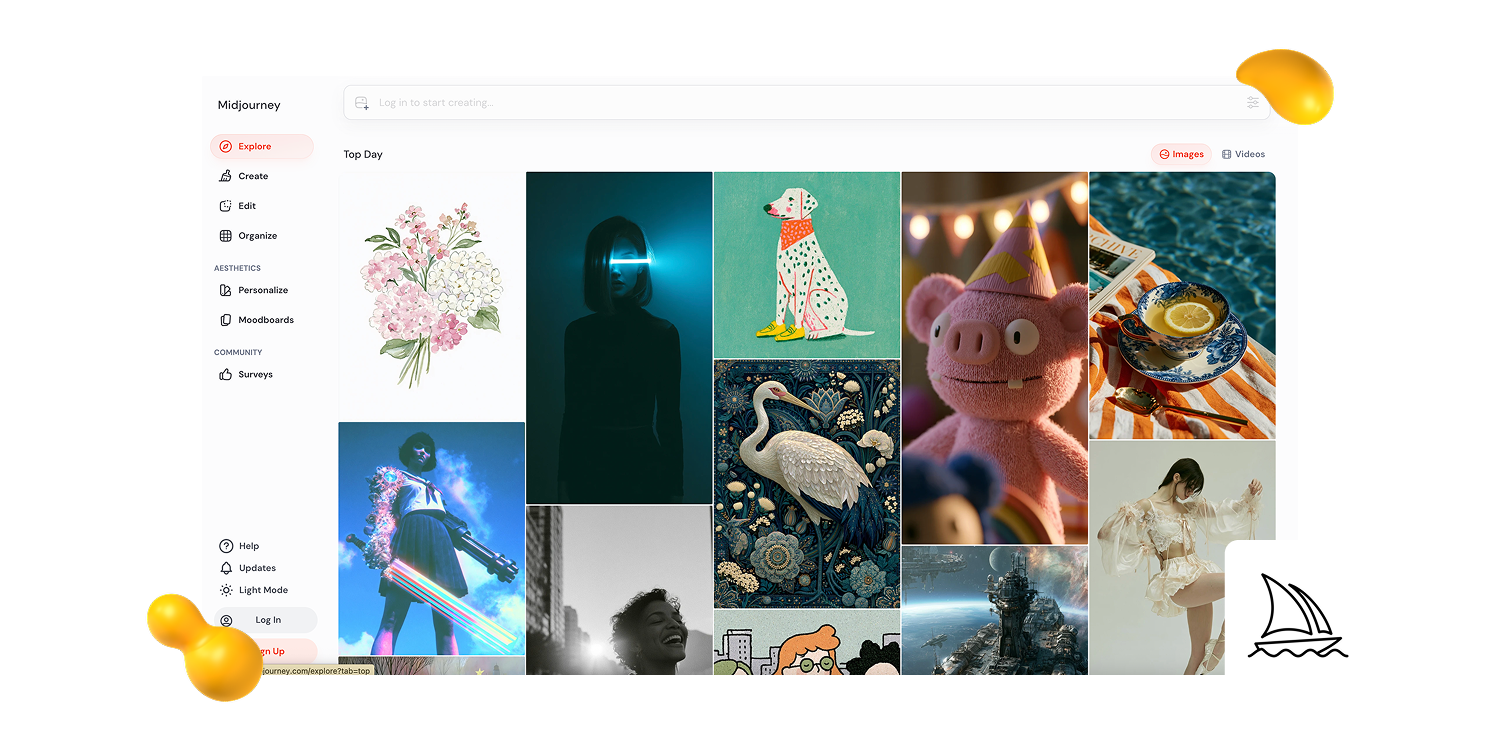
Midjourney homepage featured in Designity’s AI design tools guide for high-quality AI image generation

Midjourney is still the AI design tool to beat for polished, atmospheric visuals.

It’s strong on detail, lighting, style, and that “someone art-directed this” feeling.

But remember:
II’s for image generation, not final layouts. You’ll still need Canva, Figma, or Photoshop for production.


Pros:

  • High-quality images
  • Strong style reference tools
  • Good character consistency


Cons:

  • No free tier
  • Not a layout tool
  • Discord workflow can feel clunky


Best for:
Concept art, mood boards, and marketing visuals that need to look high-end.


Pricing:
Plans start at $10/month.


6. Canva Magic Studio: For Teams Who Need to Move Fast

Canva Magic Studio is the speed option.

Don’t get us wrong.

It won’t always give you the most original work, but for social posts, email designs, presentations, and quick branded assets, it moves fast.


Magic Design helps too.

Upload your brand kit, and Canva applies your logos, colors, and fonts across new designs.


Pros:

  • Very easy to use
  • Great for high-volume assets
  • Brand Kit saves time


Cons:

  • Can look template-heavy
  • Limited for premium creative
  • Less control than pro tools


Best for:
Marketing teams, solopreneurs, and non-designers who need polished content without a steep learning curve.


Pricing:
Free tier available. Canva Pro starts at $15/month.


7. Recraft: Native Vector Generation for Brand and Print
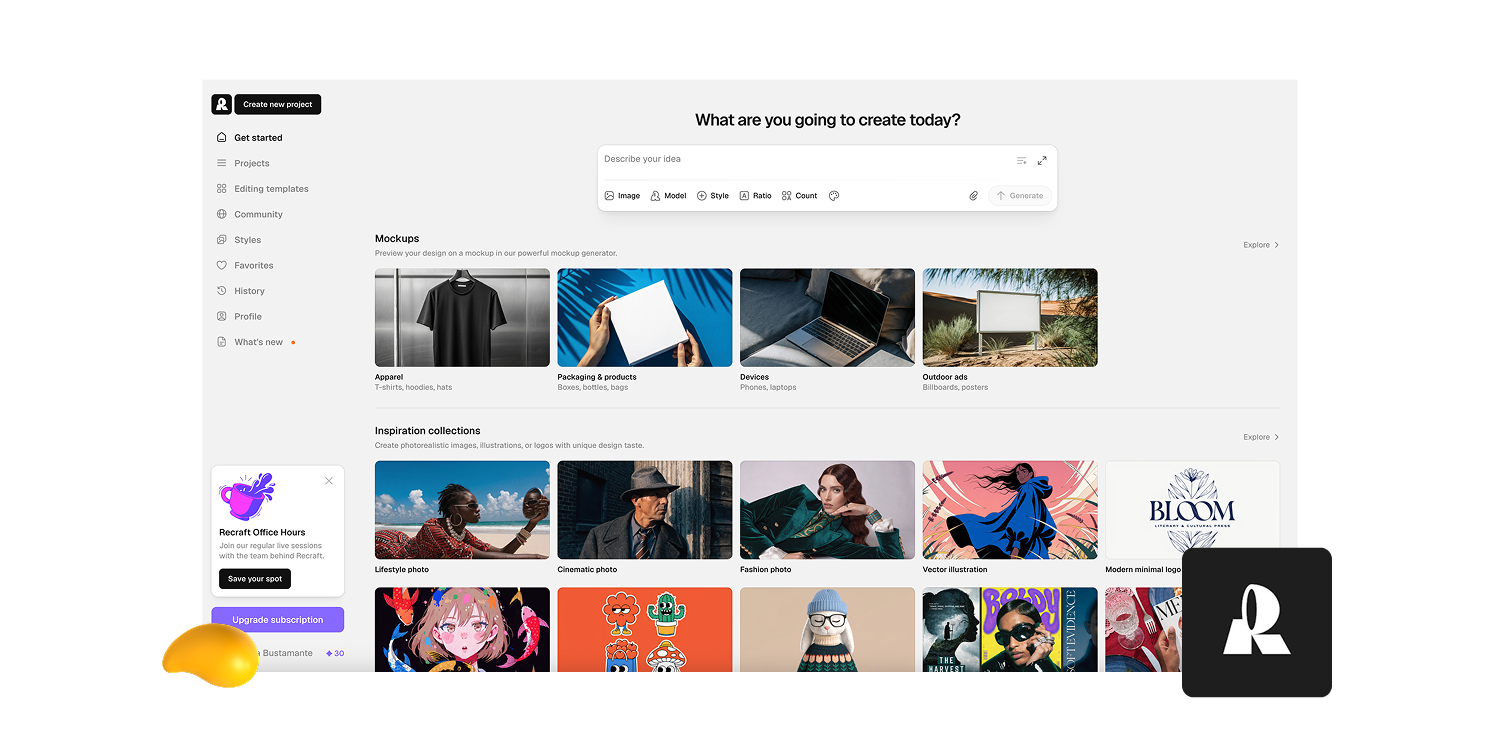
Recraft homepage featured in Designity’s AI design tools guide for scalable vector and brand assets

Here’s the issue with most AI visuals: they look good until you resize them.


Recraft
solves that by generating native SVG files, so logos, icons, and brand assets stay crisp, editable, and ready for Illustrator or Figma.

Very useful. Very practical. Very “please don’t make me redraw this.”


Pros:

  • Generates native SVG files.
  • Great for scalable assets.
  • Strong for icons and logos.


Cons:

  • Narrower use case.
  • Less useful for full layouts.
  • Not built for photo-real visuals.


Best for:
Logo work, icons, SVG assets, and brand visuals that need to stay crisp at any size.


Pricing:
Free tier available; paid plans start at $10/month.


8. Kittl: AI-First Design Built for Print
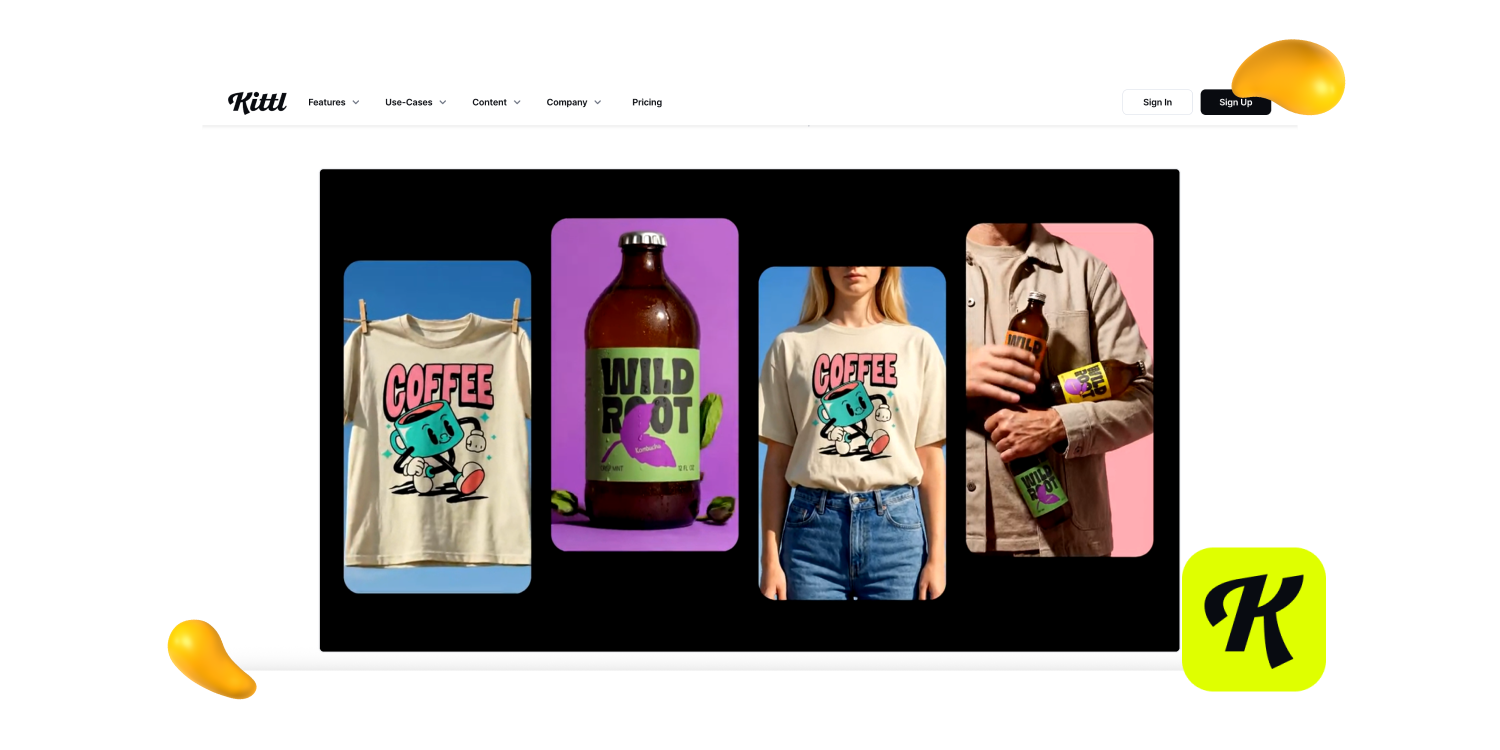
Kittl homepage featured in Designity’s AI design tools guide for print-ready design and typography

Kittl is for the work that does not stay on a screen.


Think merch, packaging, posters, t-shirts, and typography-heavy layouts.

Its AI tools are built around print-ready output, which means color, type, and export settings get more attention than they do in most general design tools.


The typography tools are the real draw.


Pros:

  • Strong typography tools.
  • Built for print workflows.
  • Useful design direction prompts.


Cons:

  • Less suited to UI work.
  • Suggestions can feel basic.
  • Better for print than digital scale.


Best for:
Designers creating print-ready assets, merchandise, packaging, posters, and typography-heavy content.


Pricing:
Free tier available; paid plans vary by feature level.


9. Microsoft Designer: The One You Probably Already Have
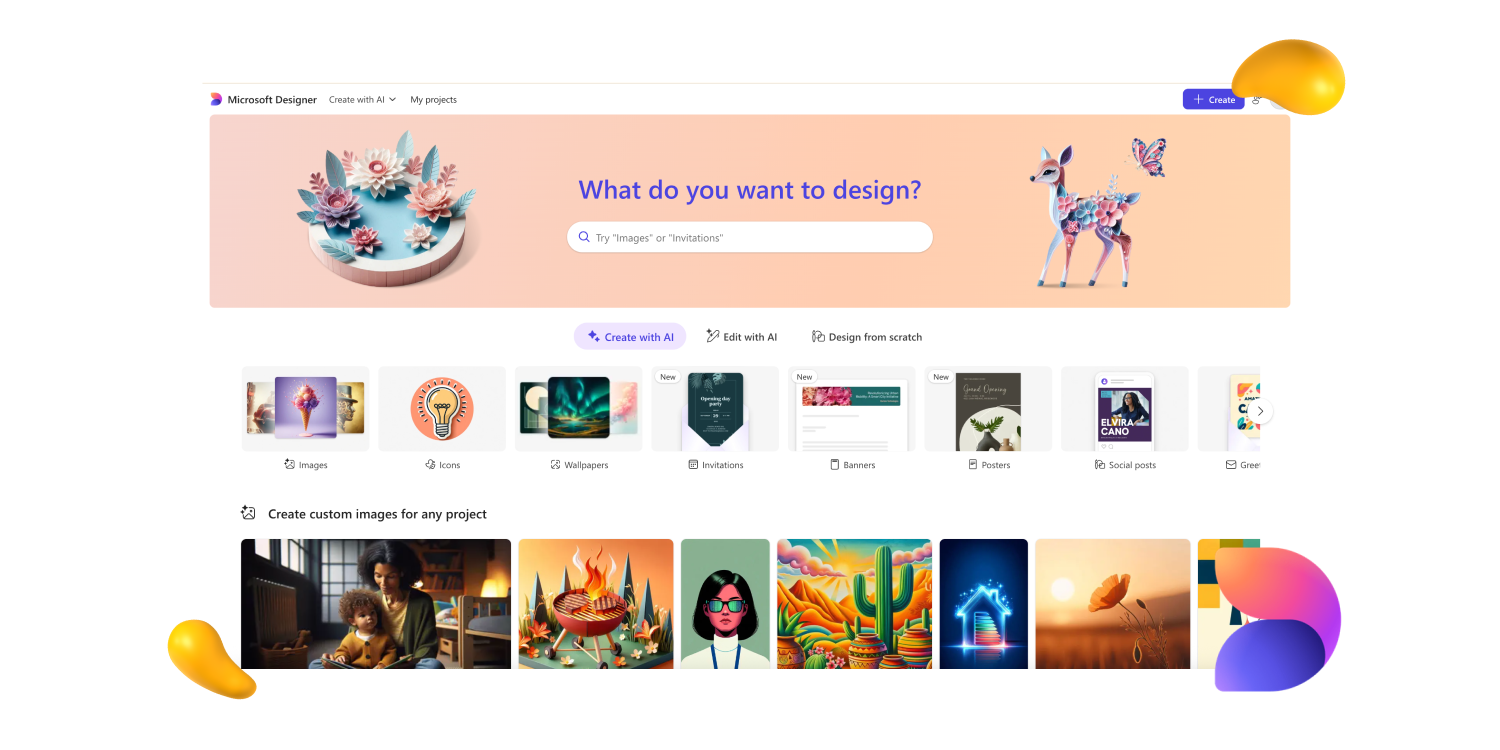
Microsoft Designer homepage featured in Designity’s AI design tools guide for quick social and presentation graphics

Microsoft Designer is not the most exciting tool here.


But if your team already lives in Microsoft 365, that may not matter.

It helps create social graphics, banners, presentation visuals, and internal comms without adding another login to your life. A small mercy.


Pros:

  • Included with Microsoft 365.
  • Easy for non-designers.
  • Good for quick comms assets.


Cons:

  • Limited creative originality.
  • Not for advanced design work.
  • Best inside Microsoft workflows.


Best for:
Teams in the Microsoft 365 ecosystem that need simple AI design support without another subscription.


Pricing:
Included with many Microsoft 365 plans.


10. Khroma: The Smarter Color Tool
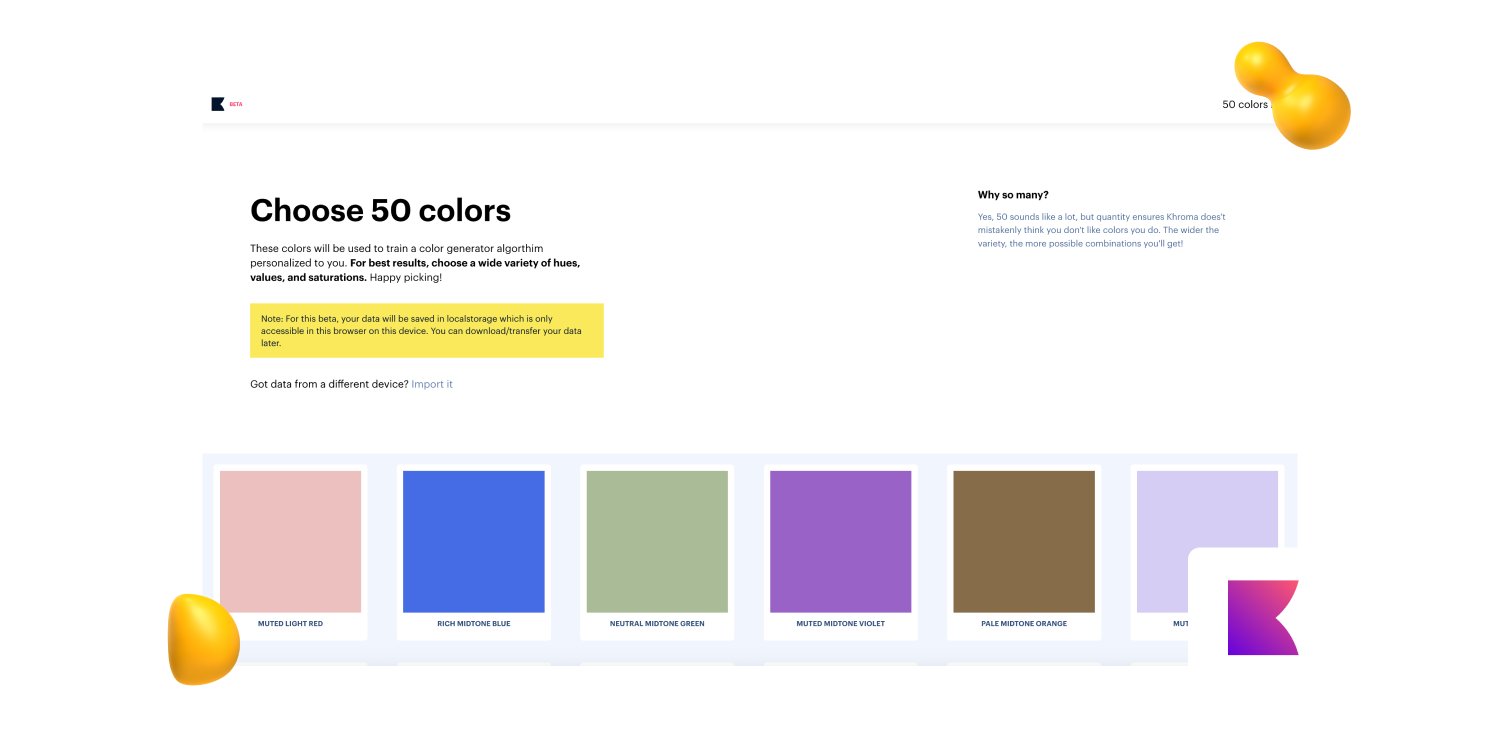
Khroma does one thing well: color.


You pick colors you like, it learns your taste, and then it generates palettes, gradients, and type pairings that feel less random than the usual “trendy palette” roulette.


Tiny tool. Big time-saver when color decisions start slowing everything down.


Pros:

  • Learns your color taste.
  • Great for palette exploration.
  • Helps maintain consistency.


Cons:

  • Only focused on color.
  • Not a full design tool.
  • Needs upfront training.


Best for:
Designers who want AI-assisted color palettes, gradients, and typography pairings that match their aesthetic.


Pricing:
Free.

{{drowning-in-projects-an}}

How Designers and Creative Teams Should Choose AI Design Tools

The best AI design tools don’t just add another shiny platform to your stack.

They solve a specific creative bottleneck.

Before choosing one, look at where your design workflow actually slows down.

Is it early concepting? Brand consistency? Asset production? Image editing?

That answer should guide the tool, not the other way around:

  • For UI/UX and product design: Start with Figma AI and Weave. They’re strongest when teams need ideation, prototyping, design system support, workflow automation, and smoother handoff in one environment.

  • For campaign creative at scale: Use Flora for repeatable multi-step workflows and style consistency, Midjourney for stronger visual assets, and Canva for fast adaptation across social, email, display, and presentation formats.

  • For agency or enterprise work: Adobe Firefly is the safer choice when commercial usage, licensing, copyright risk, and client approvals are part of the brief.

  • For small teams or solo creatives: Canva is the fastest starting point for everyday assets. Add Midjourney or Flora when you need more originality, flexibility, or creative range.

  • For print, logos, icons, or brand identity: Recraft is best for scalable vector assets, while Kittl is stronger for typography-heavy designs, merchandise, packaging, and print-ready output.


A strong AI design stack should not make the workflow heavier.


It should remove repetitive steps, protect design quality, and give designers more time for the work that still needs taste, strategy, and judgment.

Expert Take: Better AI Design Tools Still Need Better Creative Direction

The best AI design tools don’t replace creative thinking. They help creatives move faster from idea to execution.

That’s what makes tools like Flora and Figma Weave worth watching.

They help connect steps, repeat what works, and turn rough ideas into something you can test, refine, and build on.

But the human part still matters most.

AI can speed up exploration and production.

Taste, strategy, hierarchy, brand judgment, and knowing when an idea actually works still come from creatives.

At Designity, you can build real project experience with AI design tools, creative workflows, and Creative Director-led feedback.

Join Designity’s creative community today.

Share this post:

Sara, a Designity content writer.
About the Author:
Arash Sharifkian
Arash is a multidisciplinary graphic designer with over 20 years of experience across print, digital, and motion graphics. At Designity, he’s the go-to for everything from bold layouts to slick animations — always learning and consistently pushing the trends forward.
Have a collab or partnership in mind? Reach out at marketing@designity.com

About Designity

Designity is a Creative-as-a-Service partner for marketing and creative leaders who need high-quality creative without the overhead of agencies or in-house teams. With top 1% creatives and marketers, Creative Director-led support, and flexible monthly plans, it’s a more cost-efficient way to scale.
Book a Demo Call
Get Insights From Designity
Table of Contents

More in AI/Tech

Mobile App Design

No items found.

Marketing Advice

No items found.

Customer Marketing

No items found.

Demand Generation

No items found.

Corporate Marketing

No items found.

Creative Agency

No items found.

Augmented Reality

No items found.

ecommerce Design

No items found.

Social Media Marketing

No items found.

Industry Design

No items found.

Content Marketing

No items found.

Video Marketing

No items found.

Industry Marketing

No items found.

Design Services

No items found.

Jacob Cass

No items found.

eCommerce

No items found.

Financial Services

No items found.

Video Production

No items found.

Package Design

No items found.

OpenAI

No items found.

Web3

No items found.

Logo Design

No items found.

ChatGPT

No items found.

Digital Marketing

No items found.

Artificial Intelligence

No items found.

Creative Directors

No items found.

Trade Show

No items found.

Designity

No items found.

Recession

No items found.

Law Firm

No items found.

Freelance

No items found.

Motion Graphics

No items found.

Comparison

No items found.

In-House Teams

No items found.

Website Design

No items found.

Branding

No items found.

99Designs

No items found.

Staffing Agency

No items found.

Cryptocurrency

No items found.

Healthcare Design

No items found.

SaaS Design

No items found.

Blockchain

No items found.

Business Collateral Design

No items found.

Creative Teams

No items found.

Freelance Marketplace

No items found.

Creative Advice

No items found.

NFTs

No items found.

Graphic Design

No items found.

Copywriting

No items found.

Virtual Reality

No items found.

Team Building

No items found.

AI/Tech

cta-h-an
cta-g-an
cta-f-an
cta-e
cta-d
cta-c
cta-b
cta-a

About Designity

Designity is a Creative-as-a-Service partner for marketing and creative leaders who need high-quality creative without the overhead of agencies or in-house teams. With top 1% creatives and marketers, Creative Director-led support, and flexible monthly plans, it’s a more cost-efficient way to scale.
Book a Demo Call
Get Insights From Designity
Your Designity creative team, against a yellow blog background.
About Designity
Designity is a virtual, on-demand creative and marketing agency that has been delivering flexible, scalable Creative-as-a-Service (CaaS) solutions since 2015. Each plan gives you instant access to an expert team made up of the top 1% fully vetted creatives and marketers, all led by a designated Creative Director, and supported by expert Project Managers and Marketing Strategists.

With 100+ services plus a brand-trained AI assistant to boost workflow efficiency, Designity gives you faster, more affordable results than traditional agencies or in-house teams. It’s everything you need to streamline your creative process and hit your marketing goals — on time, on budget, and always on brand.
Blog > AI/Tech > Graphic Design > 10 Best AI Design Tools Creatives Need (Tips, Pricing)

10 Best AI Design Tools Creatives Need (Tips, Pricing)

·
8
min read
June 19, 2026
AI design tools by Designity
?
TL;DR
  • For creative control: Flora and Figma Weave are best for building repeatable AI workflows, keeping brand systems consistent, and connecting multiple steps in the creative process.
  • For UI/UX and product design: Figma AI is the strongest pick for turning rough ideas into prototypes, improving handoff, and keeping design work inside one familiar workspace.
  • For visual exploration: Midjourney is still one of the best AI design tools for mood boards, concept art, and high-quality campaign visuals.
  • For production work: Adobe Firefly, Canva Magic Studio, Recraft, and Kittl help with safer client assets, faster branded content, scalable vectors, and print-ready designs.
  • For smaller creative bottlenecks: Microsoft Designer is useful for quick comms assets, while Khroma helps designers build smarter color palettes faster.
  • The big takeaway: AI design tools can speed up the work, but taste, strategy, hierarchy, and brand judgment still need a human creative behind the wheel.

AI design tools are finally useful enough for real creative work.

Not all of them.

Some still give you shiny visual assets that fall apart fast. They look good for three seconds.

Then you need brand consistency, clean files, better layouts, or actual creative control.

That is where the better tools stand out.

They help designers move faster without flattening the work.

You can explore directions, build mood boards, generate images, edit assets, test layouts, create campaign variations, prototype ideas, refine color palettes, and get unstuck faster.

This guide covers the AI design tools worth knowing. What they do best. Where they fit. What they cost. And where your taste, strategy, and judgment still matter most.


Why AI Design Tools Deserve a Spot in Your Creative Workflow

AI design tools are no longer just fun things to test between projects.

They are becoming part of the actual work.

Figma’s State of the Designer report found that:

  • 72% of designers now use generative AI in their workflows.
  • 91% say it improves the quality of their work, not just the speed.
  • Designers increasing their AI usage are 25% more likely to report growing job satisfaction.

That’s the shift.

The value isn’t “make me a design.” It’s faster conceptualizing. More directions to explore. Cleaner production support. Better prototypes. Fewer blank-canvas spirals.

But the tool still matters.

Some are great for ideas and weak in production. Others can handle brand systems, layouts, assets, and real creative constraints.

That is what this list is here to sort out.

10 Best AI Design Tools Worth Adding to Your Creative Workflow 

Here are 10 AI design tools worth adding to your creative workflow, from concepting and image editing to UI design, brand assets, prototyping, and production: 


1. Flora: The Infinite Canvas for Serious Creative Teams

Flora homepage featured in Designity’s AI design tools guide for creative workflow automation

Flora is a node-based AI design tool that lets creatives connect text, image, and video models into reusable workflows. Think less “prompt box,” more creative control room.


Here’s why that matters:

It’s built for brand-heavy work where consistency, repeatability, and creative control actually count.

Pros:

  • Reusable text, image, and video workflows
  • Multi-model access in one place
  • Style DNA supports visual consistency


Cons:

  • Steeper learning curve
  • Better for systems than quick prompts
  • Overkill for simple social graphics

Best for: Creative professionals who want total control over multi-model AI workflows, especially for branding, concept development, e-commerce, fashion, and visual systems.

Pricing: Free tier available. Paid plans start at $16/month.


2. Figma Weave: The Workflow Layer Figma Didn't Really Announce

Figma Weave homepage featured in Designity’s AI design tools guide for AI-powered design workflows

Figma Weave is a node-based workflow builder that lets teams connect AI models, editing steps, and outputs inside the Figma ecosystem.

It’s less about generating one design and more about building the design process around the work.

The best part?

It helps teams automate repetitive steps without leaving Figma.

Pros:

  • Works inside the Figma ecosystem
  • Supports model-agnostic AI workflows
  • Useful for campaign variations and handoff

Cons:

  • Best if your team already uses Figma
  • Shared AI credits can run out fast
  • More workflow tool than quick design generator

Best for: Designers and teams already using Figma who want AI-powered workflows, brand consistency, campaign variations, and smoother production without switching tools.

Pricing: Included in Figma plans from $12/user/month.


3. Figma AI (Make + Design): The Platform That Stopped Being a Design Tool

Figma AI homepage featured in Designity’s AI design tools guide for UI/UX design and prototyping

Figma AI helps product teams move from rough idea to working prototype without leaving Figma.

With Make, teams can turn prompts, images, or existing frames into interactive React apps instead of stopping at static mockups.


Why do you need to keep your creative eye on it?

It brings design, prototyping, content, image editing, asset search, and developer handoff closer together in one workflow.


Pros:

  • Turns ideas into working React prototypes
  • Strong for UI/UX and product workflows
  • Improves developer handoff with Dev Mode and Code Connect


Cons:

  • Outputs still need human QA.
  • Accessibility needs careful review.
  • Figma’s growing ecosystem can feel busy.


Best for:
Product teams, UI/UX designers, and developers who want to go from concept to prototype, design system, and cleaner handoff inside Figma.

Pricing: From $12/user/month, with Figma AI credits included in most plans.


4. Adobe Firefly: The Commercially Safe Choice

Adobe Firefly homepage featured in Designity’s AI design tools guide for image editing and production

Firefly is the commercially safer AI design tool for client work.

Adobe built it with licensed and rights-safe training sources, which makes it a practical pick for agencies and enterprise teams.


It also plugs neatly into Photoshop, where Generative Fill speeds up image extensions, background removal and swaps, and product edits.


Pros:

  • Trained on licensed content
  • Excellent Photoshop integration
  • Great for product image edits


Cons:

  • Less striking than Midjourney
  • Better for production than concept art
  • Most useful inside Adobe workflows


Best for:
Agencies, enterprise teams, and client-facing creatives who need commercially safer AI assets, product image edits, background removal, and fast production support.


Pricing:
Included in Adobe Creative Cloud plans, usually $20 to $60/month depending on plan. Standalone plans start at $9.99/month.


5. Midjourney: Still the Best for Visual Quality

Midjourney homepage featured in Designity’s AI design tools guide for high-quality AI image generation

Midjourney is still the AI design tool to beat for polished, atmospheric visuals.

It’s strong on detail, lighting, style, and that “someone art-directed this” feeling.

But remember:
II’s for image generation, not final layouts. You’ll still need Canva, Figma, or Photoshop for production.


Pros:

  • High-quality images
  • Strong style reference tools
  • Good character consistency


Cons:

  • No free tier
  • Not a layout tool
  • Discord workflow can feel clunky


Best for:
Concept art, mood boards, and marketing visuals that need to look high-end.


Pricing:
Plans start at $10/month.


6. Canva Magic Studio: For Teams Who Need to Move Fast

Canva Magic Studio is the speed option.

Don’t get us wrong.

It won’t always give you the most original work, but for social posts, email designs, presentations, and quick branded assets, it moves fast.


Magic Design helps too.

Upload your brand kit, and Canva applies your logos, colors, and fonts across new designs.


Pros:

  • Very easy to use
  • Great for high-volume assets
  • Brand Kit saves time


Cons:

  • Can look template-heavy
  • Limited for premium creative
  • Less control than pro tools


Best for:
Marketing teams, solopreneurs, and non-designers who need polished content without a steep learning curve.


Pricing:
Free tier available. Canva Pro starts at $15/month.


7. Recraft: Native Vector Generation for Brand and Print

Recraft homepage featured in Designity’s AI design tools guide for scalable vector and brand assets

Here’s the issue with most AI visuals: they look good until you resize them.


Recraft
solves that by generating native SVG files, so logos, icons, and brand assets stay crisp, editable, and ready for Illustrator or Figma.

Very useful. Very practical. Very “please don’t make me redraw this.”


Pros:

  • Generates native SVG files.
  • Great for scalable assets.
  • Strong for icons and logos.


Cons:

  • Narrower use case.
  • Less useful for full layouts.
  • Not built for photo-real visuals.


Best for:
Logo work, icons, SVG assets, and brand visuals that need to stay crisp at any size.


Pricing:
Free tier available; paid plans start at $10/month.


8. Kittl: AI-First Design Built for Print

Kittl homepage featured in Designity’s AI design tools guide for print-ready design and typography

Kittl is for the work that does not stay on a screen.


Think merch, packaging, posters, t-shirts, and typography-heavy layouts.

Its AI tools are built around print-ready output, which means color, type, and export settings get more attention than they do in most general design tools.


The typography tools are the real draw.


Pros:

  • Strong typography tools.
  • Built for print workflows.
  • Useful design direction prompts.


Cons:

  • Less suited to UI work.
  • Suggestions can feel basic.
  • Better for print than digital scale.


Best for:
Designers creating print-ready assets, merchandise, packaging, posters, and typography-heavy content.


Pricing:
Free tier available; paid plans vary by feature level.


9. Microsoft Designer: The One You Probably Already Have

Microsoft Designer homepage featured in Designity’s AI design tools guide for quick social and presentation graphics

Microsoft Designer is not the most exciting tool here.


But if your team already lives in Microsoft 365, that may not matter.

It helps create social graphics, banners, presentation visuals, and internal comms without adding another login to your life. A small mercy.


Pros:

  • Included with Microsoft 365.
  • Easy for non-designers.
  • Good for quick comms assets.


Cons:

  • Limited creative originality.
  • Not for advanced design work.
  • Best inside Microsoft workflows.


Best for:
Teams in the Microsoft 365 ecosystem that need simple AI design support without another subscription.


Pricing:
Included with many Microsoft 365 plans.


10. Khroma: The Smarter Color Tool

Khroma does one thing well: color.


You pick colors you like, it learns your taste, and then it generates palettes, gradients, and type pairings that feel less random than the usual “trendy palette” roulette.


Tiny tool. Big time-saver when color decisions start slowing everything down.


Pros:

  • Learns your color taste.
  • Great for palette exploration.
  • Helps maintain consistency.


Cons:

  • Only focused on color.
  • Not a full design tool.
  • Needs upfront training.


Best for:
Designers who want AI-assisted color palettes, gradients, and typography pairings that match their aesthetic.


Pricing:
Free.

{{drowning-in-projects-an}}

How Designers and Creative Teams Should Choose AI Design Tools

The best AI design tools don’t just add another shiny platform to your stack.

They solve a specific creative bottleneck.

Before choosing one, look at where your design workflow actually slows down.

Is it early concepting? Brand consistency? Asset production? Image editing?

That answer should guide the tool, not the other way around:

  • For UI/UX and product design: Start with Figma AI and Weave. They’re strongest when teams need ideation, prototyping, design system support, workflow automation, and smoother handoff in one environment.

  • For campaign creative at scale: Use Flora for repeatable multi-step workflows and style consistency, Midjourney for stronger visual assets, and Canva for fast adaptation across social, email, display, and presentation formats.

  • For agency or enterprise work: Adobe Firefly is the safer choice when commercial usage, licensing, copyright risk, and client approvals are part of the brief.

  • For small teams or solo creatives: Canva is the fastest starting point for everyday assets. Add Midjourney or Flora when you need more originality, flexibility, or creative range.

  • For print, logos, icons, or brand identity: Recraft is best for scalable vector assets, while Kittl is stronger for typography-heavy designs, merchandise, packaging, and print-ready output.


A strong AI design stack should not make the workflow heavier.


It should remove repetitive steps, protect design quality, and give designers more time for the work that still needs taste, strategy, and judgment.

Expert Take: Better AI Design Tools Still Need Better Creative Direction

The best AI design tools don’t replace creative thinking. They help creatives move faster from idea to execution.

That’s what makes tools like Flora and Figma Weave worth watching.

They help connect steps, repeat what works, and turn rough ideas into something you can test, refine, and build on.

But the human part still matters most.

AI can speed up exploration and production.

Taste, strategy, hierarchy, brand judgment, and knowing when an idea actually works still come from creatives.

At Designity, you can build real project experience with AI design tools, creative workflows, and Creative Director-led feedback.
Join Designity’s creative community today.

Share this post:

Sara, a Designity content writer.
About the Author:
Arash Sharifkian
Arash is a multidisciplinary graphic designer with over 20 years of experience across print, digital, and motion graphics. At Designity, he’s the go-to for everything from bold layouts to slick animations — always learning and consistently pushing the trends forward.
Have a collab or partnership in mind? Reach out at marketing@designity.com

Share this post:

Back to top
Close icon