





If you’ve been in After Effects for a while, you already know the deal.
Some things feel weirdly manual, repetitive tasks start eating your time, and the timeline can get real humbling, real fast.
That’s exactly why Adobe After Effects plugins are such a game-changer.
The good ones don’t just make your workflow a little easier. They help you move faster, animate smarter, and pull off more polished motion without fighting your comp the whole way through.
Basically, less busywork. More cool work.
So, let’s get into five paid After Effects plugins that can seriously upgrade what you make and how you make it.
Top 5 Paid After Effects Plugins That Make Motion Design Feel Limitless
Adobe After Effects is powerful on its own, but the right plugins are what turn it from a solid tool into a much bigger creative playground:
1. Animation Composer (Mister Horse)
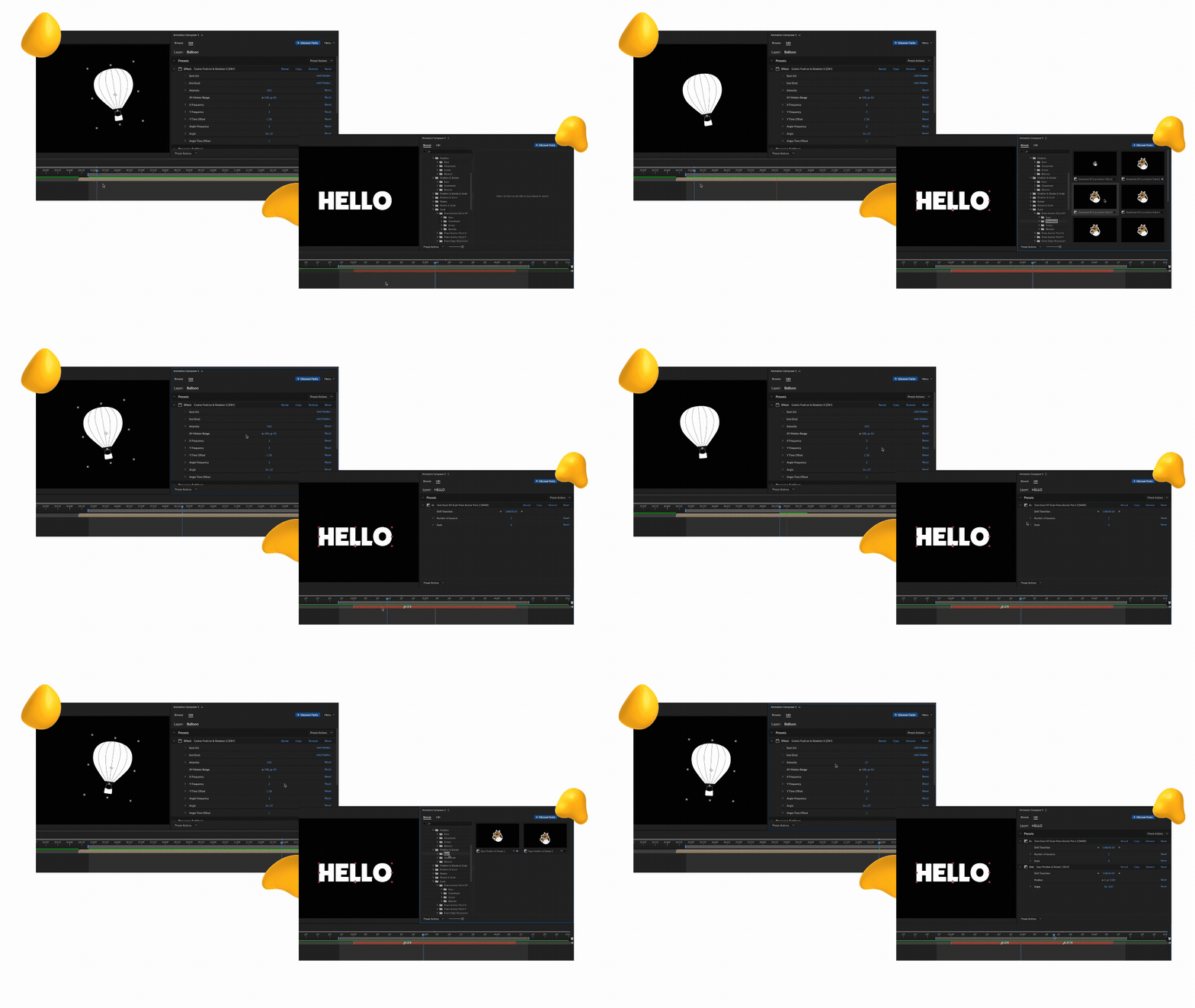
If you’ve ever felt like you’re repeating the same animations again and again, Animation Composer is where things start to change.
Mister Horse has been around for years, and its tools used to be sold separately.
The best part?
The brand recently moved to a subscription model that gives users access to thousands of assets, around 6,000 in total.
A large portion of those, roughly 1,000, are free, so it’s easy to test out before committing.
The plugin is extremely user-friendly and visual, so you’re not just applying presets blindly.
You can actually see what you’re working with. It also includes motion presets for text and objects, along with transitions, sound effects, and background elements.
Why motion designers LOVE it
- Speeds up repetitive animation tasks
- Helps maintain consistency across projects
- Reduces time spent rebuilding the same effects
- Makes it easier to produce polished motion, faster
Best for
Motion designers who want to create polished animations faster without rebuilding the same effects from scratch.
Price
Free plan available. Paid plans start at $16.50/month (billed annually) or $19.90/month, with access to 6,000+ assets and additional tools.
2. MoBar (Motion Ape)
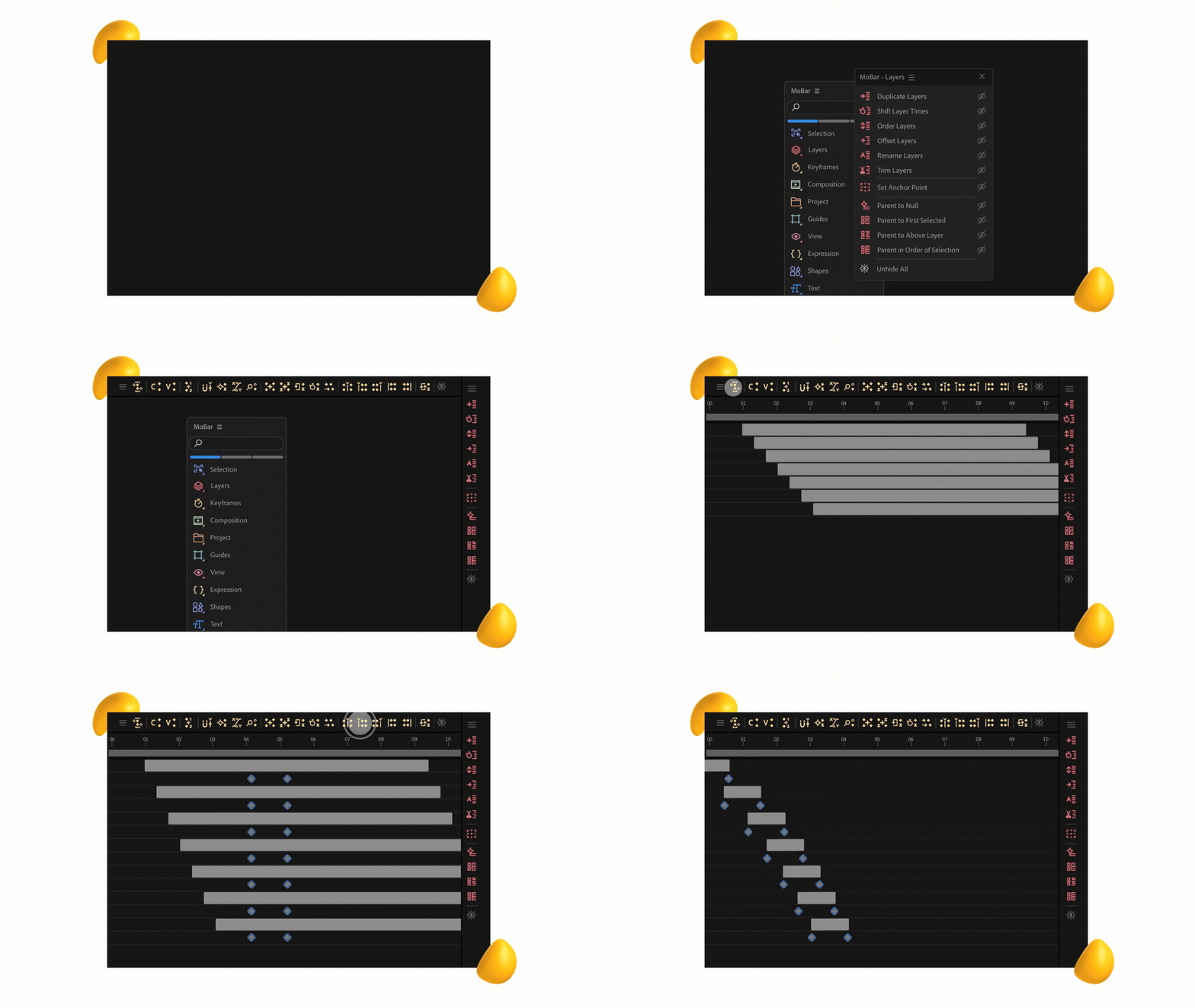
Some After Effects frustrations are just weirdly consistent.
Basic things like bulk duplication, better color swatches, and other small but useful controls somehow still require extra tools.
That’s what makes MoBar so satisfying.
Instead of piecing together a bunch of separate plugins, MoBar pulls a lot of those everyday helpers into one place.
It covers a wide range of common use cases, from keyframe tools and section controls to type utilities, expressions, and composition helpers.
The best part is how naturally it fits into your workflow. It doesn’t really feel like an add-on. It feels more like a missing part of After Effects that should’ve been there all along.
Why motion designers LOVE it
- Puts a lot of everyday workflow tools in one place
- Cuts down the need for multiple small plugins
- Makes common tasks faster and less annoying
- Feels intuitive enough to become part of your normal setup
Best for
Motion designers who want a cleaner, more efficient workflow without patching together a bunch of separate tools.
Price
There’s a free plan to get started. Paid options include $7.99/month, $49/year, or $199 for lifetime access. If you use After Effects regularly, the lifetime option is often the better long-term buy.
3. Element 3D (Video Copilot)
For a lot of motion designers, Video Copilot was part of the origin story. It’s one of the names that shaped how people learned After Effects in the first place.
Over the years, they released several plugins, including free favorites like Saber. But Element 3D is the one that really changed the game.
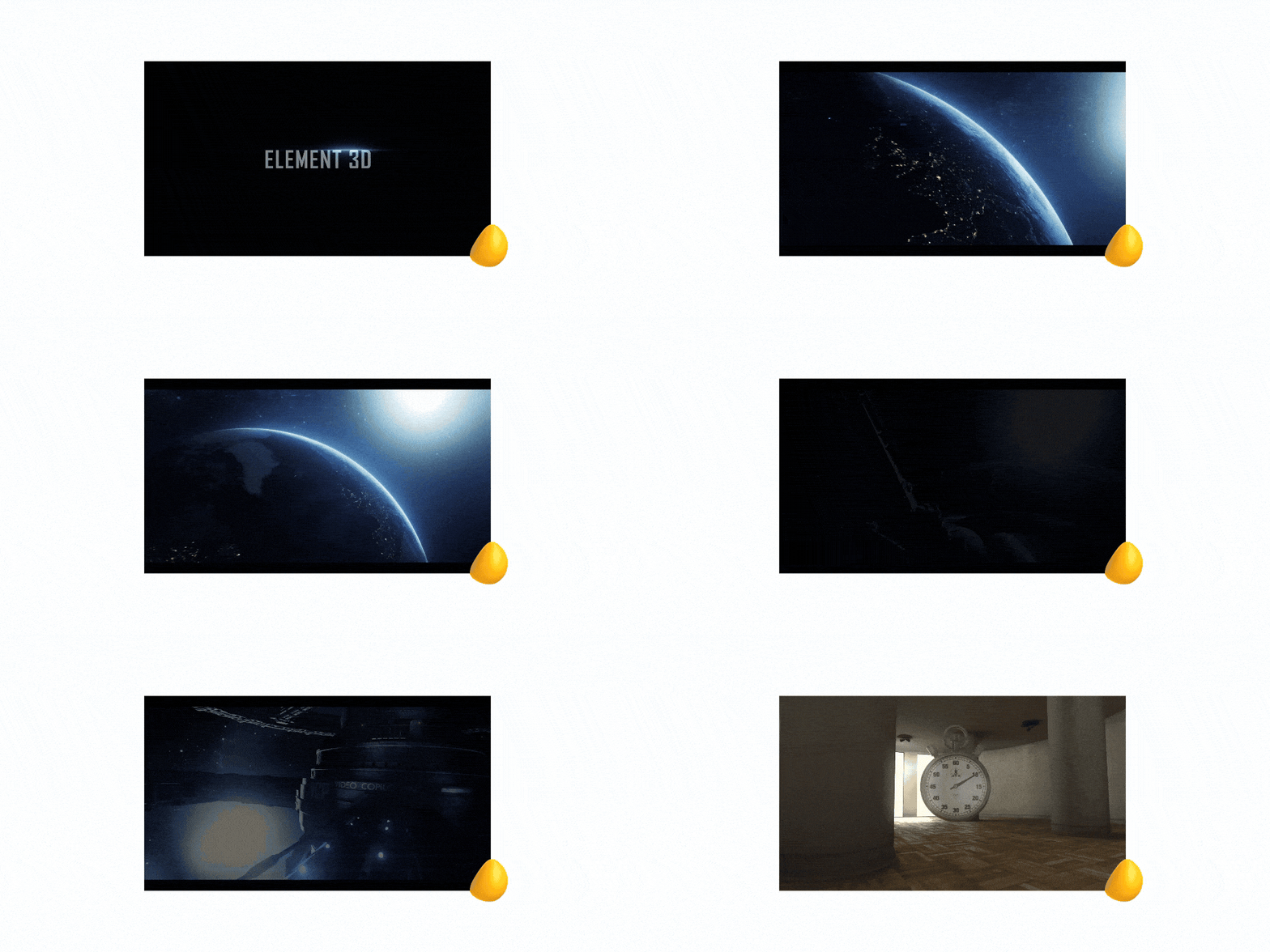
It brings a real-time 3D environment directly into After Effects, so instead of jumping into another program, you can import 3D models, apply materials, set up lighting, and animate everything right inside your comp.
It’s fast, GPU-powered, and surprisingly flexible. For a lot of projects, that means less switching between tools and a much smoother workflow overall.
Why motion designers LOVE it
- Brings 3D workflows into After Effects
- Cuts down the need to bounce between multiple programs
- Makes lighting, materials, and model animation more accessible
- Helps create more advanced visuals without going fully into 3D software
Best for
Motion designers who want to bring 3D elements into their work without fully shifting into a dedicated 3D workflow.
Price
The tool costs $199.95 for a standard license (one-time purchase, no subscription).
4. Red Giant (Maxon Suite)
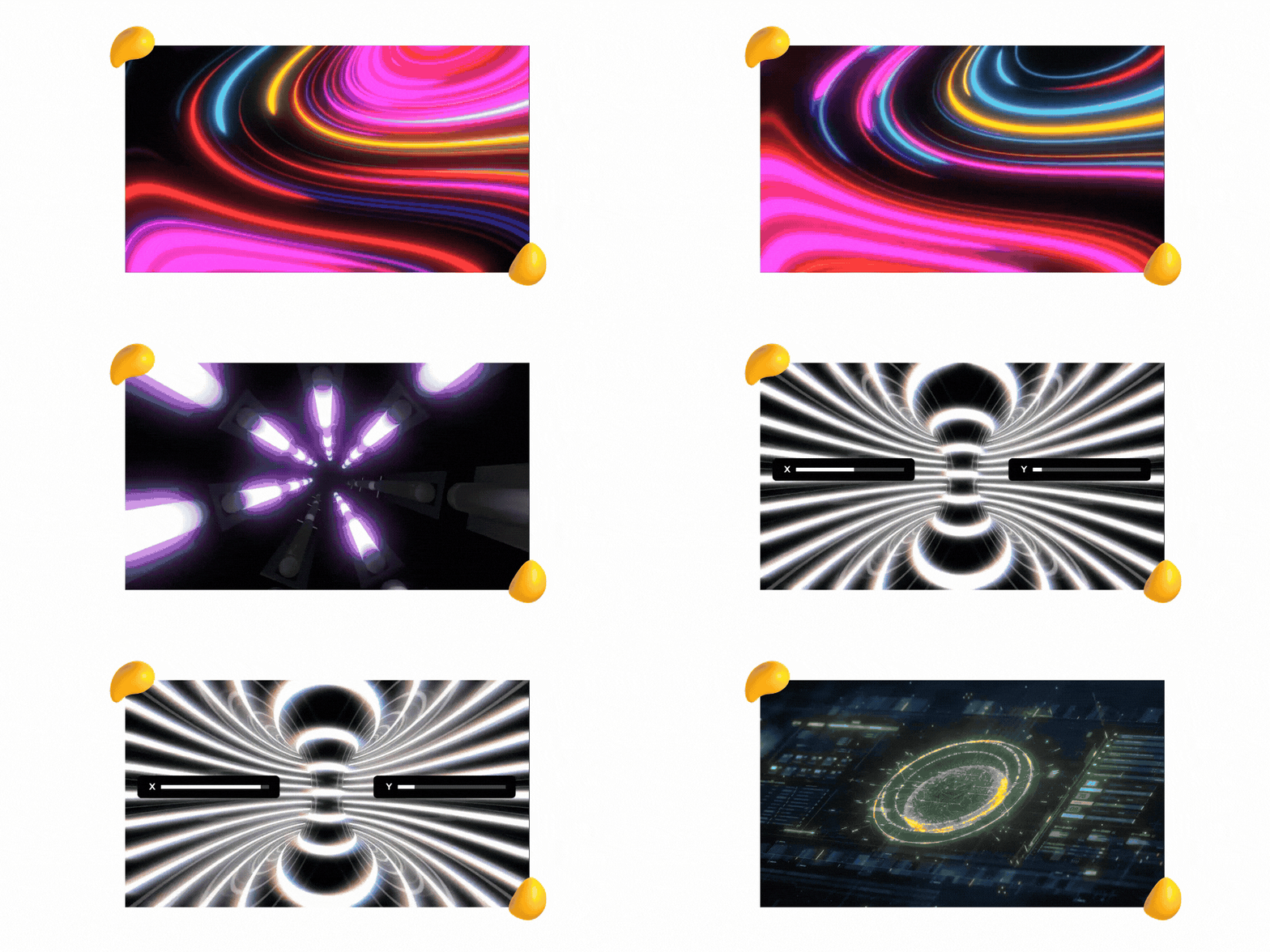
Now part of Maxon, Red Giant is a full suite built for motion graphics, VFX, color, and stylization.
And if you’ve ever wanted your work to look a little more cinematic, a little more polished, or a lot less basic, this is where things start to get interesting.
Tools like Particular, Trapcode, and Universe are widely used across professional projects for a reason.
Here’s why.
Red Giant has range. You’re not just dropping in a few effects and calling it a day. You’re working with tools that can completely reshape how your visuals look and feel.
Need complex particle systems?
Dramatic light effects?
More style, texture, or depth?
Red Giant gives you a lot more room to push.
That’s the difference.
From layered motion to cinematic finishing touches, this is the kind of suite that can take a project from decent to genuinely high-end.
Why motion designers LOVE it
- Gives access to high-end VFX and motion tools in one place
- Makes it easier to create cinematic, polished visuals
- Unlocks complex effects like particles and simulations
- Helps elevate work from basic to production-quality
Best for
Motion designers working on high-end visuals, VFX-heavy projects, or anything that needs a more cinematic finish.
Price
Red Giant is part of Maxon’s suite, starting at around €61/month ($72/month) billed annually or €97/month ($115/month) billed monthly, as of April 15, 2026.
5. Newton 4
Some plugins try to do a little bit of everything. Newton is not that.
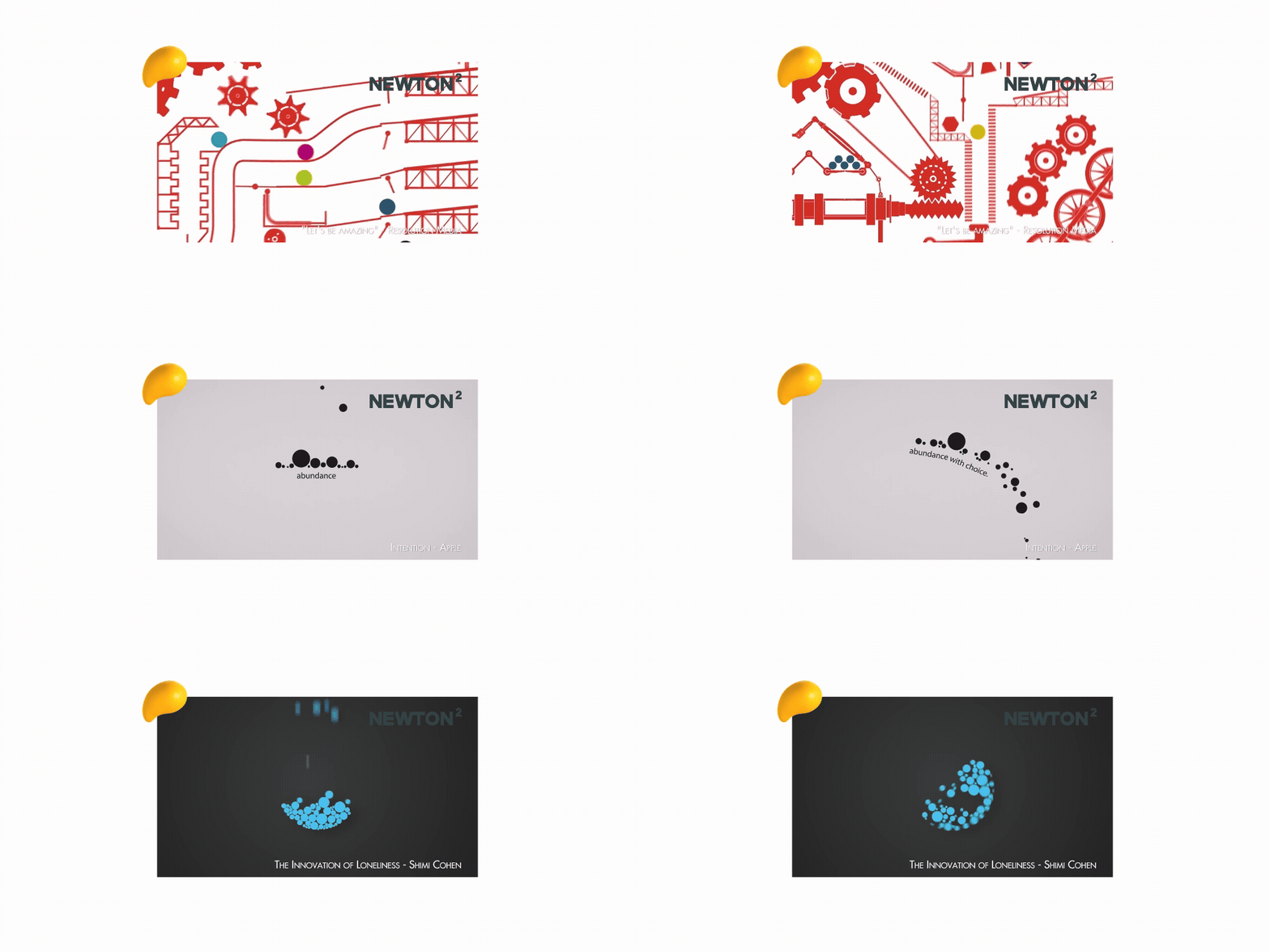
Instead, it goes all in on one thing: physics simulation.
And honestly?
That focus is exactly what makes it so good.
Here’s the magic.
Instead of manually animating every bounce, collision, or little movement tweak, Newton does the math for you.
Objects react naturally, interact with each other, and move in a way that actually feels real.
That changes a lot.
Because when you’re building dynamic animation, faking realistic motion by hand can eat up way too much time.
Newton takes a lot of that off your plate and gets you to a more believable result, faster.
Why motion designers LOVE it
- Adds real physics simulation inside After Effects
- Saves time on bounce, collision, and movement animation
- Makes motion feel more natural and believable
- Cuts down on manually faking complex interactions
Best for
Motion designers creating dynamic animations that need realistic movement, interaction, or physical behavior.
Price
$249.99 for a single-user license. It’s a one-time purchase, not a subscription.
{{cd-led-team-an}}
8 More Paid After Effects Plugins Worth Checking Out
Here are a few more paid After Effects tools motion designers keep coming back to:
- Trapcode Suite: A go-to for particle systems, volumetric effects, and 3D geometry. If you want high-end motion graphics that feel more cinematic and complex, this one’s a heavyweight.
- Overlord: A huge workflow win for anyone moving between design and animation. It makes transferring assets between Illustrator and After Effects way less painful.
- Plexus 3: The plugin behind a lot of those sleek, connected-particle visuals in tech, data, and futuristic motion design. Super customizable and hard to replicate well by hand.
- Optical Flares: Still a favorite for polished, customizable lens flares that feel cinematic without looking cheesy when used well.
- Stardust: A powerful node-based particle system for motion designers who want more control, more complexity, and more room to experiment.
- RubberHose 2: Perfect for stylized character animation. It makes bendy limbs, quick rigs, and playful motion a whole lot easier to build.
- Motion Tools 2: One of those utility plugins that quietly saves you a ridiculous amount of time. Great for cleaning up all the tiny workflow annoyances that add up.
- AEJuice I Want It All Bundle: A massive library of presets, transitions, and ready-made assets that helps you move faster when you need strong motion without building every element from scratch.
4 FAQs Related to After Effects Plugins
Here are the answers to a few questions about After Effects plugins:
1. What Is The Best After Effects Plugin for Beginners?
Animation Composer is one of the best After Effects plugins for beginners because it’s easy to use and gives you quick access to polished presets, transitions, and effects.
2. What Are Some of the Best Free After Effects Plugins?
If you’re just getting started, or even if you’ve been using After Effects for a while, there are some seriously powerful free plugins worth adding to your toolkit.
Here are a few standouts:
- Animation Composer (Free Version): A huge library of drag-and-drop presets, transitions, and sound effects. Perfect for speeding up workflows without sacrificing quality.
- Video Copilot Saber: A go-to for creating glowing light effects like neon, lasers, and energy beams. Fully customizable and widely used in professional work.
- Motion Bro (Free Version): Gives you access to templates, transitions, and design elements directly inside After Effects. Great for fast-turnaround content.
- DUIK Bassel: A powerful character rigging and animation toolkit with features like inverse kinematics and auto-rigging. Makes character animation much more manageable.
- AEJuice Free Starter Pack: Hundreds of presets and elements you can drag and drop into your projects. Ideal for quickly adding polish to your work.
- MoBar (Free Version): Helps you organize your workflow with custom panels and pre-built tools, making everyday tasks faster and easier.
3. Are Paid After Effects Plugins Worth the Money?
They can be, especially if they solve a problem you run into all the time.
The right paid After Effects plugins can save hours, speed up your workflow, and unlock effects or capabilities that are hard to pull off manually.
A free trial is always a smart place to start.
4. How Do I Install After Effects Plugins?
Most After Effects plugins are pretty easy to install.
Many come with automatic installers, so you just download the file, run it, and follow the setup steps.
Some may need to be added manually to your After Effects Plug-ins or Scripts folder, so it’s always worth checking the plugin’s instructions first.
Plug into Better Motion Work with Designity
The right After Effects plugins can make motion work faster, smoother, and a whole lot more fun.
But better tools only go so far if your day is still packed with client chasing, admin work, and project chaos.
That’s where Designity comes in.
Our creative and marketing community is built to help motion designers spend more time doing the work they actually want to do.
No invoicing.
No awkward client back-and-forth.
No playing project manager on top of being the creative.
Our Creative Directors and Creative Project Managers handle communication, timelines, and workflows, so you can stay focused on making great work.
It’s fully remote, creatively driven, and built for people who want to keep growing.
If that sounds like your kind of setup, join the Designity Creative and marketing community today.