




Blog > Tools/Resources > Motion Graphics > 10 Best Motion Graphics Software (Reviewed by an Expert)

10 Best Motion Graphics Software (Reviewed by an Expert)

·
10
min read
July 22, 2026
best motion graphics software by Designity
Table of Contents
?
TL;DR
  • The best motion graphics software depends on your workflow. Marketers, UI designers, editors, and animators all need different tools.
  • Adobe After Effects is still the industry standard. It’s powerful for 2D animation, compositing, VFX, and branded video.
  • Cinema 4D and Blender lead for 3D motion. Cinema 4D is built for pros, while Blender offers serious 3D power for free.
  • Jitter, Rive, and LottieFiles are great for UI teams. They make lightweight, interactive, and web-friendly animation easier.
  • DaVinci Resolve, Apple Motion, Maya, and Houdini are more specialized. They serve editing, Mac workflows, studio 3D, and complex VFX.
  • Designity helps motion creatives keep building their toolkit. Join a remote creative community where you can work on real motion projects, sharpen your software skills, and get feedback from experienced Creative Directors.

Motion graphics used to be a specialist skill, something many teams outsourced when they needed it.

Today, motion is everywhere.

Brand presentations animate, social content moves, and app interfaces respond in real time.

That makes choosing the right motion graphics software more important than ever.

The best option depends on your goals, workflow, budget, and experience level.

A tool built for social content may not suit UI animation, broadcast graphics, or advanced 3D work.

This guide compares 10 motion graphics tools, including their strengths, drawbacks, pricing, and ideal users, so you can choose one that fits the work in front of you.

How These Motion Graphics Tools Were Chosen

The list combines practical evaluation with insights from Designity Senior Creative Arash, who has 20+ years of creative experience, including around 10 in motion graphics.

The final list is based on:

  • Real-world workflows: Tools were assessed for social content, UI animation, broadcast graphics, 3D, compositing, and VFX.
  • Usability: Learning curves, integrations, collaboration, and performance under deadlines were considered.
  • Value: The list includes free, browser-based, one-time-purchase, and professional subscription options.
  • Honest trade-offs: Each tool’s limitations, pricing, hardware demands, and ideal users were evaluated.

A Quick Comparison: 10 Best Motion Graphics Software

Pricing and review scores are accurate as of July 2026 and may change over time.

Tool Best For Pricing Rating
Adobe After Effects Professional motion and VFX $34.49/month (monthly plan) 4.7/5 Capterra
Cinema 4D 3D motion graphics and broadcast $109/month (monthly plan) 4.6/5 G2
Blender Free 3D animation and motion Free 4.5/5 G2
DaVinci Resolve + Fusion Editors adding motion to video Free / $295 one-time 4.7/5 G2
Autodesk Maya Studio-level 3D and VFX $245–$255/month 4.3/5 G2
Jitter Browser-based motion for UI and marketing teams Free plan available; paid plans start around $22/editor/month N/A
Rive Interactive UI animation Free / from $16/month N/A
LottieFiles Lightweight web and app animation Free plan available; Individual plans start at $19.99/user/month, billed annually N/A
Houdini Procedural VFX at studio scale $269–$299/year 4.4/5 G2
Apple Motion Mac users in the Final Cut ecosystem $49.99 one-time 4.4/5 G2

The 10 Best Motion Graphics Software Tools Right Now

From industry staples to free and browser-based options, here are the 10 best motion graphics software tools for different skills, budgets, and creative workflows: 

1. Adobe After Effects: The Industry Standard
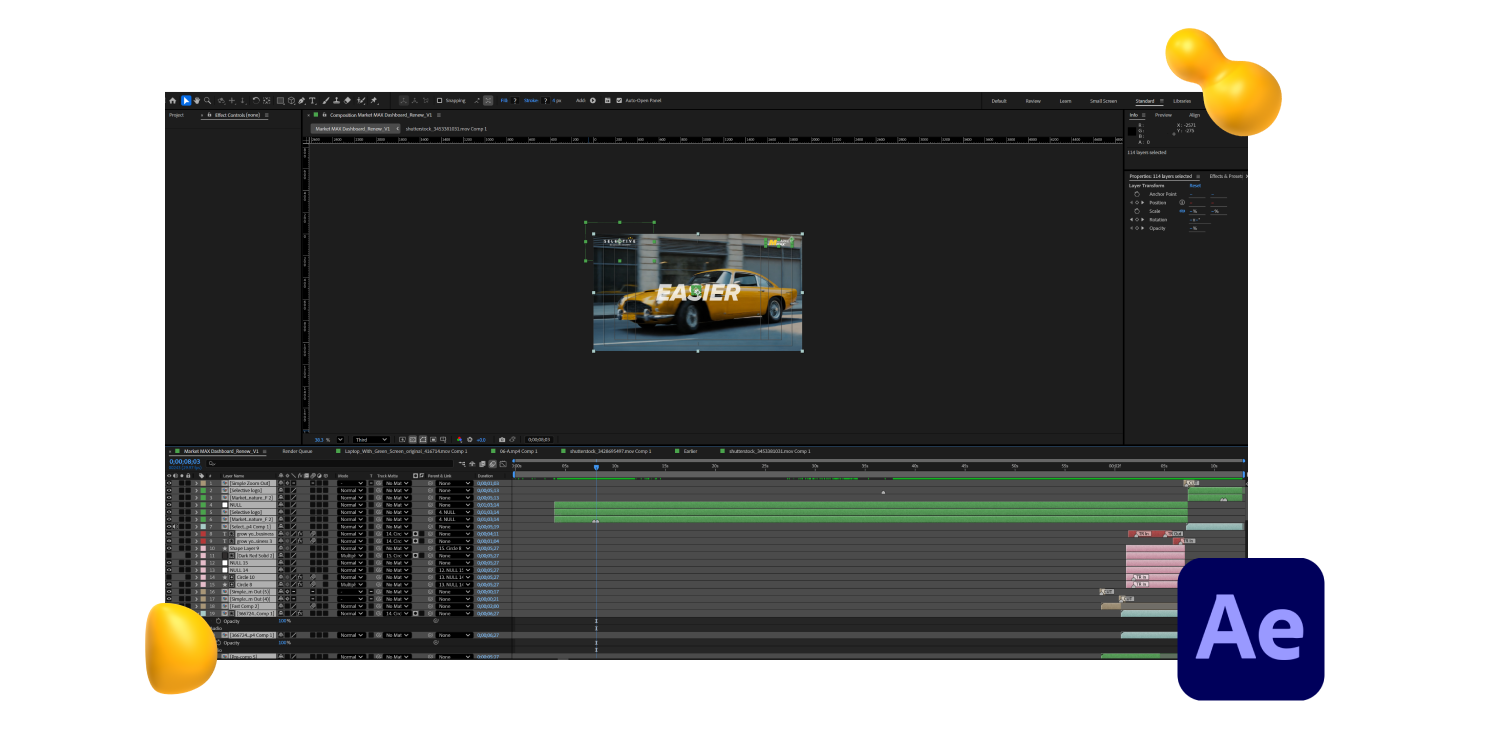
Adobe After Effects motion graphics software interface editing a yellow car animation, featured in Designity’s 2026 guide.

Adobe After Effects gets a 4.7 score out of 5 on Capterra, from 443 user ratings.

It’s not that people are blindly loyal to the brand. It’s more that the tool has been around for so long, it’s become the one everyone knows, uses, and compares everything else to.

Basically, the product category’s default setting.

After Effects handles 2D and 3D compositing, visual effects, kinetic typography, animated titles, and those lower thirds that everyone keeps mentioning.

It ties in with Photoshop, Illustrator, and Premiere Pro to form one smooth pipeline inside Adobe, so you don’t have to keep jumping between tools all day.  

But what a lot of new users overlook is the plugin — the add-on world around it.

Tools like Motion Bro, Flow, and AEJuice add entire workflow layers that speed up production dramatically.

Working professionals are not running vanilla After Effects. They have built a customized environment around it over the years.

Best for: Professional motion designers, VFX artists, and anyone building a career in motion.

The honest catch: Ease of use scores a 3.9 on Capterra. After Effects has a steep learning curve, and it doesn’t apologize for it. If you're brand new to motion design, this is probably not your starting point.

Pricing: ~$22.99/mo (annual) or $34.49/mo (month-to-month).

2. Cinema 4D: The Best 3D Motion Graphics Software for Designers
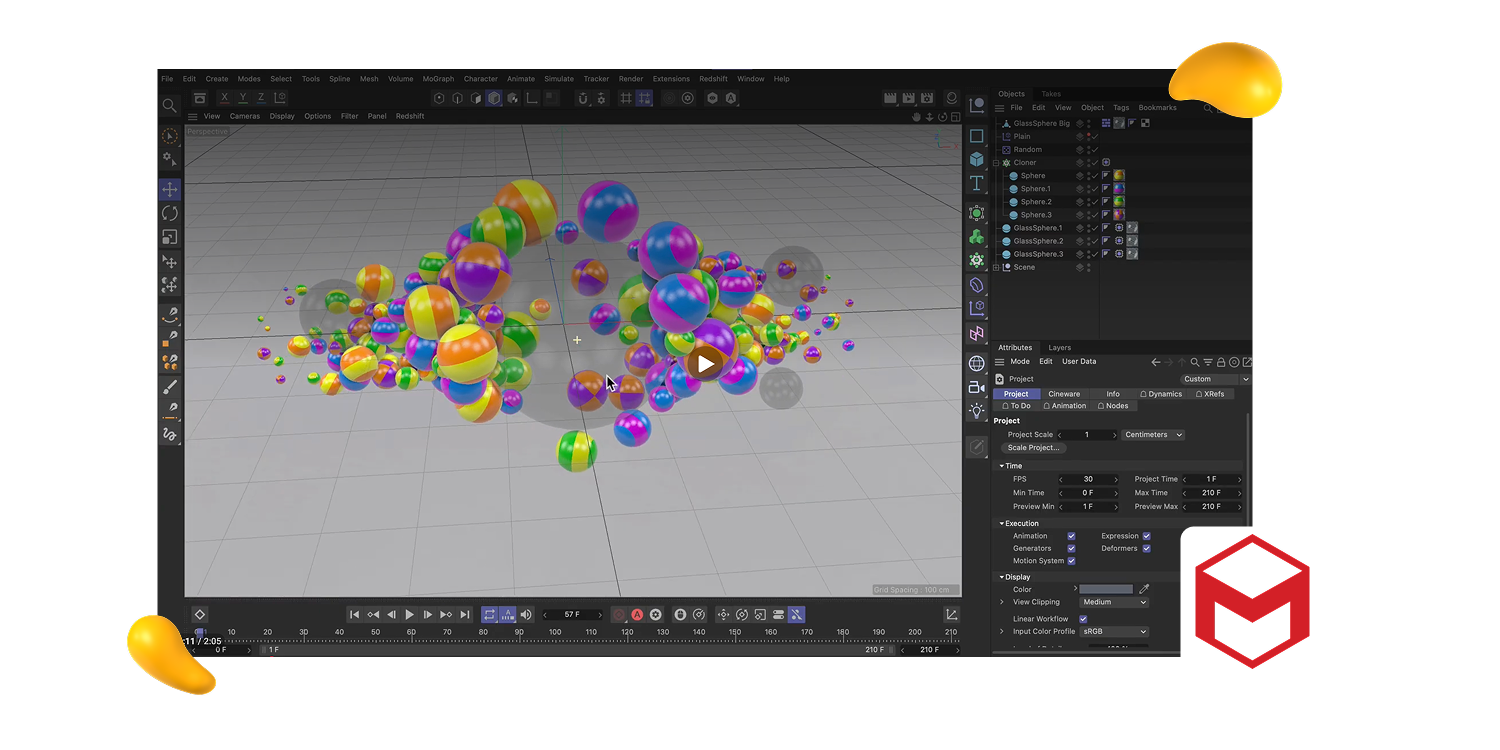
Cinema 4D motion graphics software interface displaying colorful 3D spheres, featured in Designity’s 2026 guide.

Cinema 4D gets a 4.6/5 rating on both G2 and Capterra.

From what users say, the user interface feels a lot more friendly compared to After Effects, and that little difference matters.

It’s kind of a mix of easy handling plus useful features, which is why a bunch of motion graphics designers end up picking Cinema 4D as their main 3D platform.  

What really makes it stand out is the MoGraph tool, which is made for motion graphics work and typical 3D modeling.

In other programs, you might duplicate, line up, and animate things, but that process can take noticeably longer in competing software. 

Best for: Broadcast motion design, 3D logo animations, and kinetic typography with real depth.

The honest catch: The tool costs $149 monthly, so it’s very tough for newcomers who are trying their luck as freelance 3D designers to justify and afford the price tag. 

Price: $109/mo (monthly) or $69.91/mo billed annually (~$839/yr).

3. Blender: The Free Tool That Earns Its Reputation
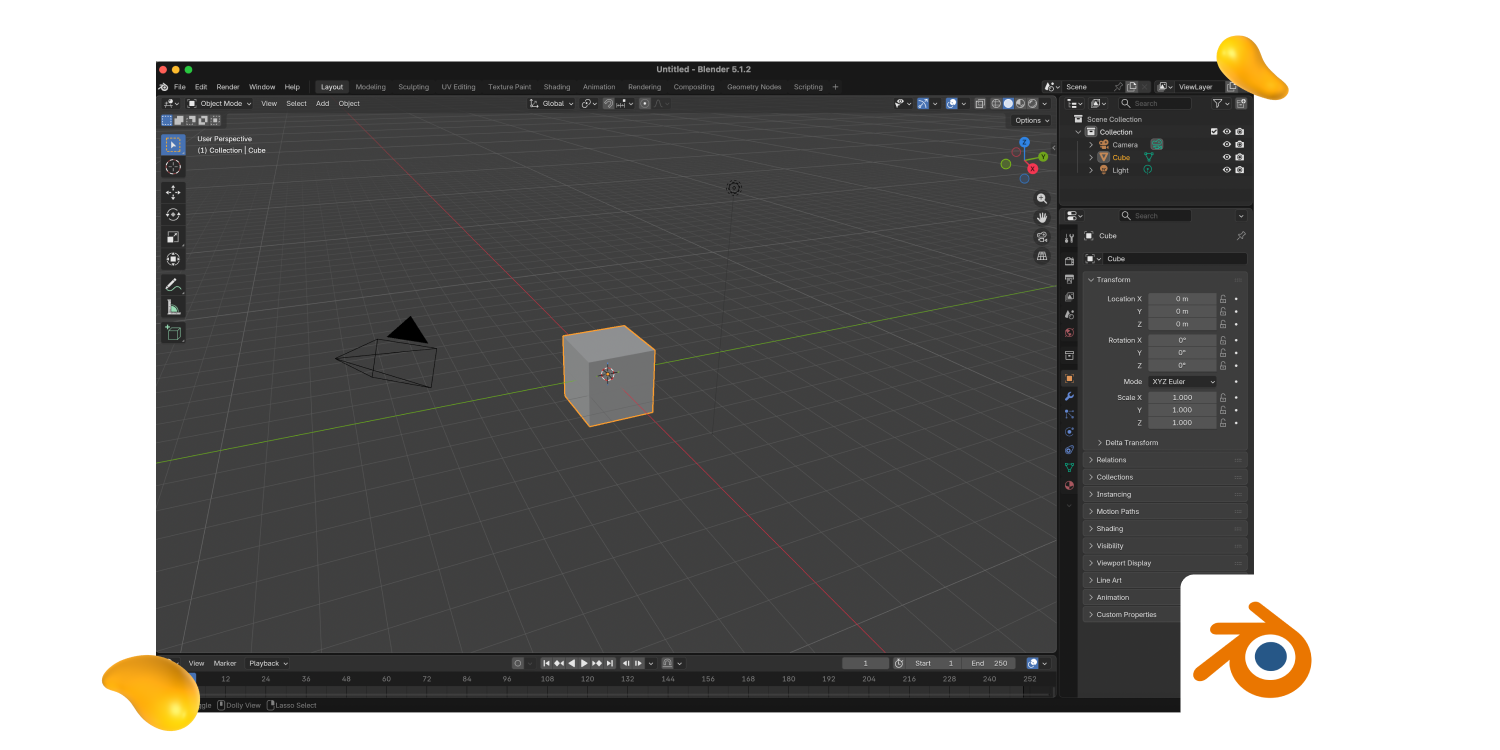
Blender motion graphics software interface showing the default cube and 3D workspace, featured by Designity.

Blender is open-source and completely free, which usually comes with a catch. In Blender’s case, not much of one.

It gives you a serious 3D toolkit for modeling, animation, rendering, simulation, compositing, and even video editing.

For motion graphics, one of its biggest advantages is Geometry Nodes, a visual system that lets designers create procedural animations, repeated patterns, abstract 3D forms, and complex motion without scripting every detail by hand.

Studios use Blender. Freelancers use Blender.

And if you’re looking for the best free 3D motion graphics software, it’s hard to beat.

It also runs on Windows, macOS, and Linux.

For many motion designers, the strongest workflow is using Blender to build the 3D elements, then bringing them into After Effects for compositing and final polish.

You get professional 3D capability without paying for Cinema 4D.

Best for: Designers who are looking for professional 3D capabilities without any subscription fee.

The honest catch: The interface has its own logic that takes real time to learn. If you are coming from After Effects, the transition requires patience. Older hardware will also struggle with complex scenes.

Pricing: Free.

Learn the differences between Adobe After Effects and Blender here.

4. DaVinci Resolve with Fusion: Motion Built Into Your Edit

DaVinci Resolve motion graphics software interface editing sunset and sea turtle footage, featured by Designity.

Most motion graphics software works separately from your editing app.

DaVinci Resolve is different because Fusion, its built-in workspace for motion graphics, visual effects, and compositing, runs inside the same platform you use for editing and color grading.

That means you can create animated titles, effects, transitions, and composites in one project without constantly exporting and importing files between tools.

The free version also includes Fusion, so it’s far from a basic starter tool.

It’s strong enough for serious editing, compositing, and motion graphics work, while the paid Studio version adds more advanced professional features.

Best for: For video editors wishing to incorporate motion graphics into their editing process.

The honest catch: Fusion is a node-based editor while the rest work in layers. Community and support around this tool are smaller than what you expect, and it needs attention as it’s a serious piece of hardware.

Pricing: Free (Resolve); DaVinci Resolve Studio one-time purchase at $295.

5. Autodesk Maya: For the Most Complex 3D and VFX Work

Autodesk Maya motion graphics software interface modeling a complex 3D mechanical object, featured by Designity.

Autodesk Maya won a Scientific and Engineering Award from the Academy of Motion Picture Arts and Sciences.

So, it's no surprise that it’s the tool behind much of the 3D work in major films and games like Avatar and Final Fantasy XVI.

For motion graphics specifically, Maya is overkill unless you're doing character animation, complex simulations, or large-scale environment work.

Its Arnold renderer helps create polished, photorealistic visuals, while Bifrost is used for advanced simulations like particles, smoke, fire, and fluids.

Best for: Studios, game studios, and VFX teams working on complex character animation and environment-level 3D.

The honest catch: This is a professional studio tool. The price reflects that. Solo designers and small teams rarely need what Maya offers.

Pricing: ~$245–255/mo, ~$1,945–2,010/yr.

6. Jitter: Browser-Based Motion for Everyone Else

Jitter motion graphics software interface animating Love wins text over blue gradient panels, featured by Designity.

Jitter runs right in your browser, so there’s no installation or complicated setup.

You can open it, start animating, and share work with your team pretty quickly.

It’s especially useful for teams that need motion content but don’t have a dedicated motion designer.

UI designers can bring in Figma elements and animate them more easily, while marketers can use it for social posts, product visuals, and simple campaign assets.

It’s not trying to be After Effects. But when paired with Figma, Jitter gives product, UI, and marketing teams a much easier way to create polished motion without learning a full motion design workflow.

Best for: Marketers, UI designers, and content creators who need professional motion without the learning curve.

The honest catch: Limited compared to professional tools. Complex compositing, visual effects, and deep 3D work will hit a ceiling fast. It’s a fast lane for simpler motion, not a replacement for the full toolkit.

Pricing: Free plan available. Paid plans start at around $22 per editor/month, billed monthly.

7. Rive: Built for Interactive UI Animation
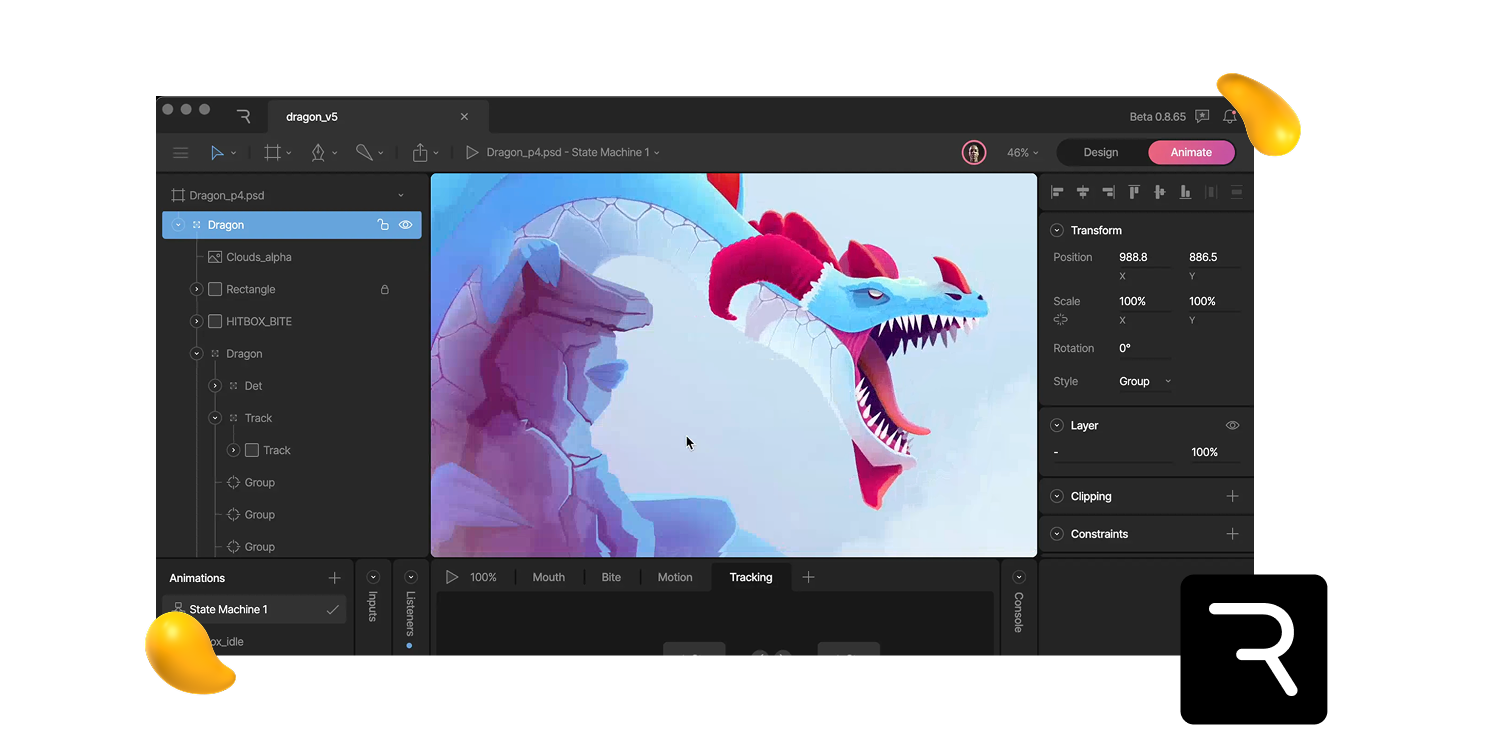
Rive motion graphics software interface animating an illustrated dragon character, featured in Designity’s guide.

Rive solves a different motion problem.

What do we mean?
Most motion graphics software outputs a finished video. Rive creates interactive, real-time animations for apps, websites, and product interfaces.

UI motion needs to respond to clicks, taps, hovers, loading states, and other user actions without slowing the product down.

With Rive, designers can build animations and state machines visually, while developers get clean files they can add directly into the product.

For product teams, Rive helps close the gap between the animation everyone loved in the prototype and the one that actually ships.

Best for: Product designers, app developers, and UI/UX teams building interactive animations.

The honest catch: Not the right tool for video content or broadcast motion. Rive lives in the product and UI world.

Pricing: Free plan available; paid plans from $16/month.

8. LottieFiles: Lightweight Animation for Web and Apps
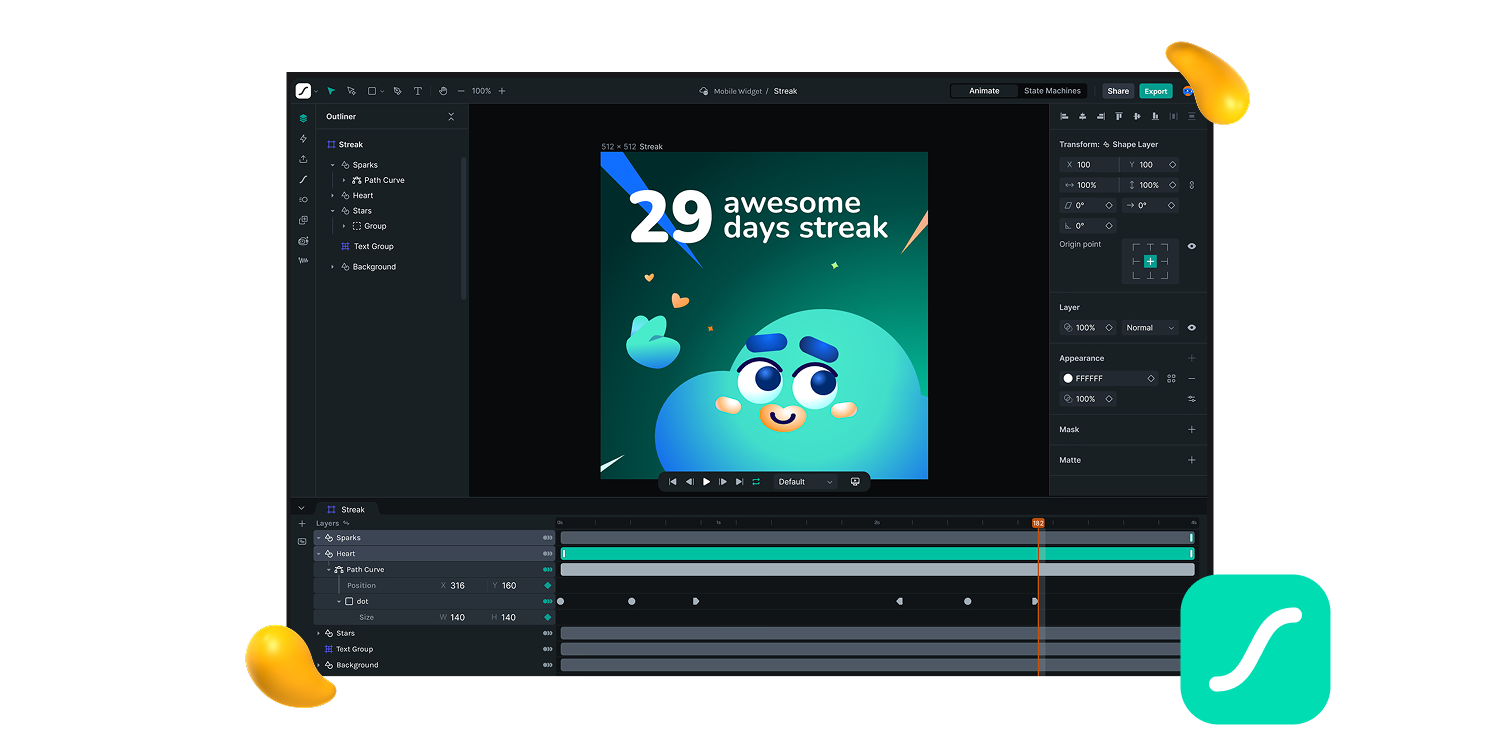
LottieFiles motion graphics software interface creating an animated mobile streak graphic, featured in Designity’s guide.

LottieFiles is built around the Lottie format, which exports animations as lightweight JSON files instead of bulky video files.

That makes animations easier to load, scale, and use across web, iOS, Android, and React Native experiences.

The workflow is simple: create the animation in After Effects, export it with the Lottie plugin, then manage, test, and share it through LottieFiles.

It also integrates with tools like After Effects, Figma, and Framer, making it especially useful for web and product teams creating icons, loading animations, micro-interactions, and onboarding sequences.

Best for: Teams producing lightweight vector animations for web, mobile apps, and UI at scale.

The honest catch: It’s tied to the Lottie/JSON format, so complex effects, gradients, and some After Effects expressions may not export cleanly. It’s best for lightweight animation, not advanced compositing.

Pricing: Free plan available. Individual plans for solo designers and freelancers start at $19.99 per user/month, billed annually.

9. Houdini: Procedural VFX at Studio Scale
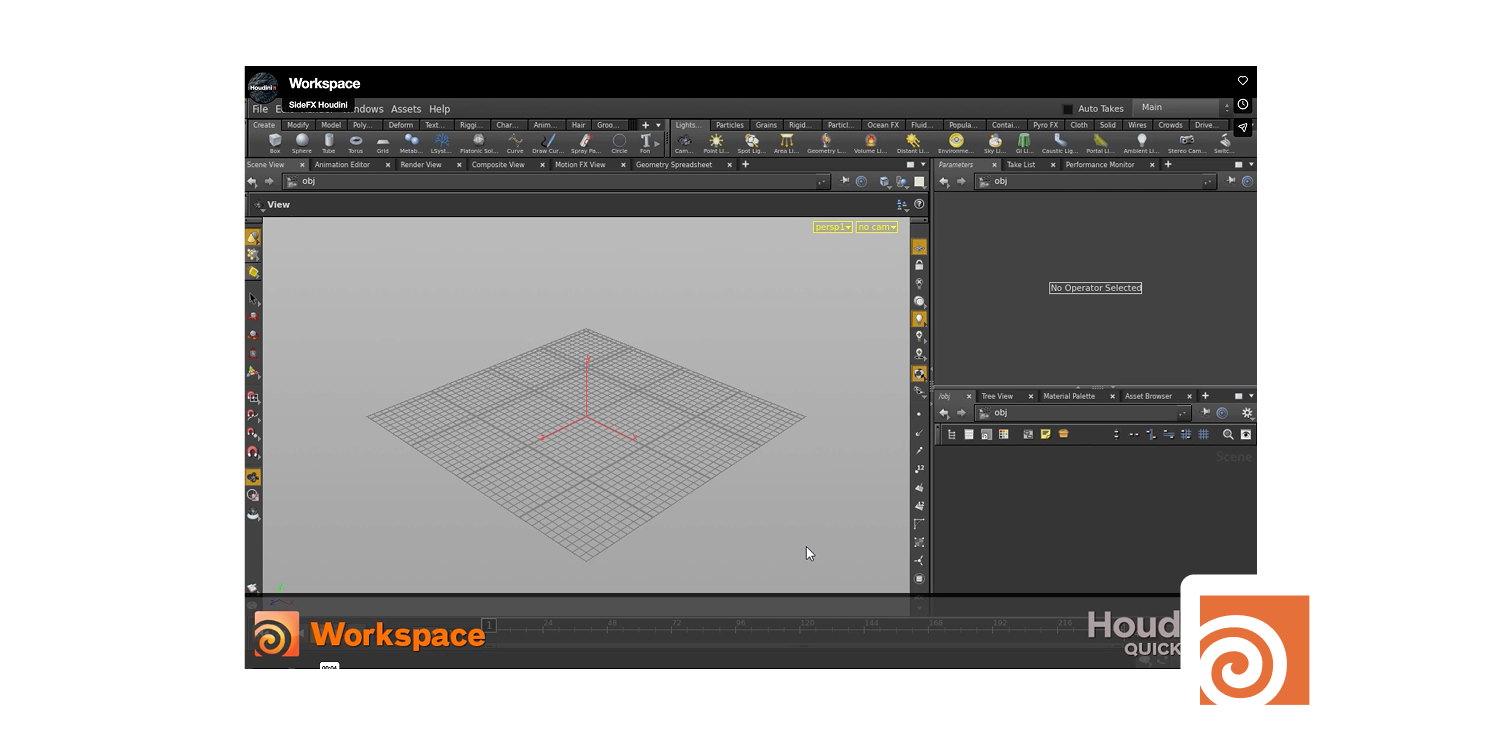
Houdini motion graphics software workspace displaying a blank procedural 3D grid, featured in Designity’s guide.

Houdini isthe software you see behind the scenes whenever a film needs something wildly complex to feel believable.

Explosions, smoke, fire, water, destruction, crowd simulations, procedural effects, the works.

It’s built for the kind of visual effects that make audiences say, “How did they even do that?”

Best for: VFX studios and motion designers working on simulation-heavy, technically complex projects.

The honest catch: Steep learning curve, high price, and designed for studios rather than solo designers. The indie license brings the cost down for smaller operations.

Pricing: Indie ~$269–299/yr; full commercial (Core/FX) ranges ~$1,995–$4,995/yr depending on tier

10. Apple Motion: The Underrated Mac Option
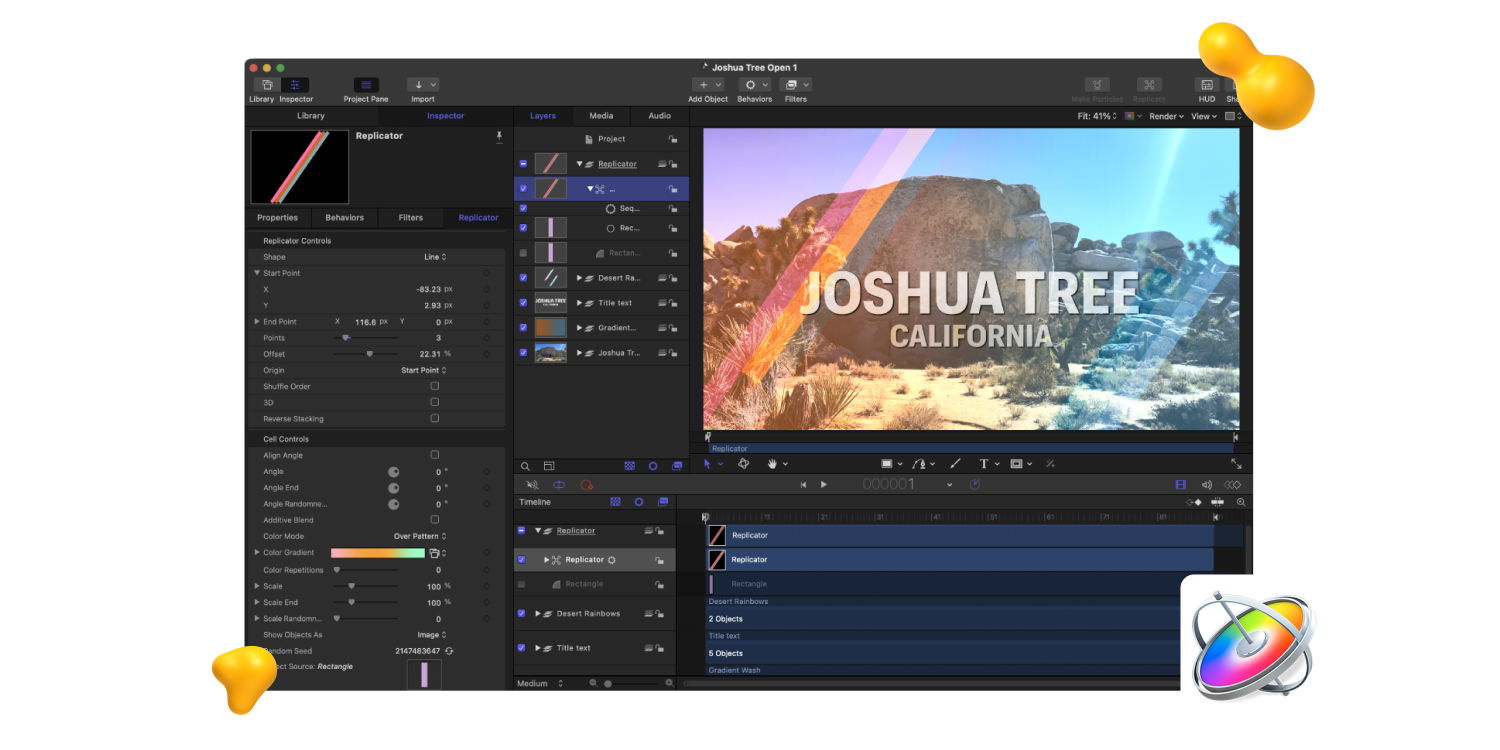
Apple Motion motion graphics software interface editing a Joshua Tree title sequence, featured by Designity.

Apple Motion is the quiet underdog on this list.

It doesn’t always come up in conversations about the best motion graphics software, but for Mac users already working in Final Cut Pro, it’s a strong option.

For a one-time $49.99 purchase, it lets you create broadcast graphics, title sequences, transitions, effects, and simple motion design assets.

It’s easier to learn than After Effects and much cheaper over time, though less advanced for complex compositing or 3D work.

Best for: Mac-based creators working in the Final Cut Pro ecosystem.

The honest catch: Mac only. The plugin and template ecosystem is much smaller than After Effects. Cross-platform collaboration gets complicated.

Pricing: $49.99 one-time purchase.

4 Benefits of Choosing the Right Motion Graphics Software

Here are four ways the right motion graphics software can help you work faster, bring your ideas to life, match your current skill level, and grow with you:

  1. Less time fighting the tool: Software that matches your workflow helps you create faster instead of getting buried in unnecessary complexity.

  2. More room to execute your ideas: The right tool gives you enough capability to complete the work without hitting frustrating creative limits.

  3. A better fit for your skill level: Beginners, solo marketers, professional motion designers, and broadcast studios all need different levels of control.

  4. Space to grow: The best motion graphics software meets your current needs while giving you room to take on more advanced projects later.

{{drowning-in-projects-an}}

How to Choose the Right Motion Graphics Software 

Most people need one primary tool and maybe one secondary. 

Here’s how to think about it:

  1. Just starting out in motion design: Start with Jitter to understand timing and movement without fighting complex software. Add Blender when you're ready for 3D and have the patience for the learning curve.

  2. Professional motion designer or working toward it: After Effects is the center of your stack. Cinema 4D, when you need depth and dimension. Those two together cover the vast majority of professional motion work.

  3. Product or UI/UX designer: Rive for interactive animations that ship in your product. LottieFiles for lightweight web and app output that performs at scale.

  4. Video editor who wants to add motion graphics: DaVinci Resolve with Fusion keeps everything in one place. No separate tools to manage.

  5. Studio-level VFX work: Houdini and Maya. The learning investment is substantial, but nothing else comes close for simulation-heavy, technically complex projects.

  6. Mac user in the Final Cut ecosystem: Apple Motion at $49.99 one-time is genuinely excellent value and often overlooked.

Final Frame: Great Motion Graphics Software Still Needs Great Creative Direction

The best motion graphics software can make your workflow faster, smoother, and more ambitious.

But tools don’t decide what deserves to move, how movement should feel, or whether the final result strengthens the idea.

That still comes down to creative judgment.

Timing, restraint, visual hierarchy, storytelling, and knowing when to stop adding keyframes separate polished motion from movement for movement’s sake.

Choose software that fits the work, learn it deeply, and expand when your ideas demand more.

At Designity, creatives gain project experience, sharpen their motion skills, and receive feedback from experienced Creative Directors.


Join Designity’s creative community today.

Share this post:

Sara, a Designity content writer.
About the Author:
Arash Sharifkian
Arash is a multidisciplinary graphic designer with over 20 years of experience across print, digital, and motion graphics. At Designity, he’s the go-to for everything from bold layouts to slick animations — always learning and consistently pushing the trends forward.
Have a collab or partnership in mind? Reach out at marketing@designity.com

About Designity

Designity is a Creative-as-a-Service partner for marketing and creative leaders who need high-quality creative without the overhead of agencies or in-house teams. With top 1% creatives and marketers, Creative Director-led support, and flexible monthly plans, it’s a more cost-efficient way to scale.
Book a Demo Call
Get Insights From Designity
Table of Contents

More in Tools/Resources

Mobile App Design

No items found.

Marketing Advice

No items found.

Customer Marketing

No items found.

Demand Generation

No items found.

Corporate Marketing

No items found.

Creative Agency

No items found.

Augmented Reality

No items found.

ecommerce Design

No items found.

Social Media Marketing

No items found.

Industry Design

No items found.

Content Marketing

No items found.

Video Marketing

No items found.

Industry Marketing

No items found.

Design Services

No items found.

Jacob Cass

No items found.

eCommerce

No items found.

Financial Services

No items found.

Video Production

No items found.

Package Design

No items found.

OpenAI

No items found.

Web3

No items found.

Logo Design

No items found.

ChatGPT

No items found.

Digital Marketing

No items found.

Artificial Intelligence

No items found.

Creative Directors

No items found.

Trade Show

No items found.

Designity

No items found.

Recession

No items found.

Law Firm

No items found.

Freelance

No items found.

Motion Graphics

No items found.

Comparison

No items found.

In-House Teams

No items found.

Website Design

No items found.

Branding

No items found.

99Designs

No items found.

Staffing Agency

No items found.

Cryptocurrency

No items found.

Healthcare Design

No items found.

SaaS Design

No items found.

Blockchain

No items found.

Business Collateral Design

No items found.

Creative Teams

No items found.

Freelance Marketplace

No items found.

Creative Advice

No items found.

NFTs

No items found.

Graphic Design

No items found.

Copywriting

No items found.

Virtual Reality

No items found.

Team Building

No items found.

Tools/Resources

cta-h-an
cta-g-an
cta-f-an
cta-e
cta-d
cta-c
cta-b
cta-a

About Designity

Designity is a Creative-as-a-Service partner for marketing and creative leaders who need high-quality creative without the overhead of agencies or in-house teams. With top 1% creatives and marketers, Creative Director-led support, and flexible monthly plans, it’s a more cost-efficient way to scale.
Book a Demo Call
Get Insights From Designity
Your Designity creative team, against a yellow blog background.
About Designity
Designity is a virtual, on-demand creative and marketing agency that has been delivering flexible, scalable Creative-as-a-Service (CaaS) solutions since 2015. Each plan gives you instant access to an expert team made up of the top 1% fully vetted creatives and marketers, all led by a designated Creative Director, and supported by expert Project Managers and Marketing Strategists.

With 100+ services plus a brand-trained AI assistant to boost workflow efficiency, Designity gives you faster, more affordable results than traditional agencies or in-house teams. It’s everything you need to streamline your creative process and hit your marketing goals — on time, on budget, and always on brand.
Blog > Tools/Resources > Motion Graphics > 10 Best Motion Graphics Software (Reviewed by an Expert)

10 Best Motion Graphics Software (Reviewed by an Expert)

·
10
min read
July 22, 2026
best motion graphics software by Designity
?
TL;DR
  • The best motion graphics software depends on your workflow. Marketers, UI designers, editors, and animators all need different tools.
  • Adobe After Effects is still the industry standard. It’s powerful for 2D animation, compositing, VFX, and branded video.
  • Cinema 4D and Blender lead for 3D motion. Cinema 4D is built for pros, while Blender offers serious 3D power for free.
  • Jitter, Rive, and LottieFiles are great for UI teams. They make lightweight, interactive, and web-friendly animation easier.
  • DaVinci Resolve, Apple Motion, Maya, and Houdini are more specialized. They serve editing, Mac workflows, studio 3D, and complex VFX.
  • Designity helps motion creatives keep building their toolkit. Join a remote creative community where you can work on real motion projects, sharpen your software skills, and get feedback from experienced Creative Directors.

Motion graphics used to be a specialist skill, something many teams outsourced when they needed it.

Today, motion is everywhere.

Brand presentations animate, social content moves, and app interfaces respond in real time.

That makes choosing the right motion graphics software more important than ever.

The best option depends on your goals, workflow, budget, and experience level.

A tool built for social content may not suit UI animation, broadcast graphics, or advanced 3D work.

This guide compares 10 motion graphics tools, including their strengths, drawbacks, pricing, and ideal users, so you can choose one that fits the work in front of you.

How These Motion Graphics Tools Were Chosen

The list combines practical evaluation with insights from Designity Senior Creative Arash, who has 20+ years of creative experience, including around 10 in motion graphics.

The final list is based on:

  • Real-world workflows: Tools were assessed for social content, UI animation, broadcast graphics, 3D, compositing, and VFX.
  • Usability: Learning curves, integrations, collaboration, and performance under deadlines were considered.
  • Value: The list includes free, browser-based, one-time-purchase, and professional subscription options.
  • Honest trade-offs: Each tool’s limitations, pricing, hardware demands, and ideal users were evaluated.

A Quick Comparison: 10 Best Motion Graphics Software

Pricing and review scores are accurate as of July 2026 and may change over time.

Tool Best For Pricing Rating
Adobe After Effects Professional motion and VFX $34.49/month (monthly plan) 4.7/5 Capterra
Cinema 4D 3D motion graphics and broadcast $109/month (monthly plan) 4.6/5 G2
Blender Free 3D animation and motion Free 4.5/5 G2
DaVinci Resolve + Fusion Editors adding motion to video Free / $295 one-time 4.7/5 G2
Autodesk Maya Studio-level 3D and VFX $245–$255/month 4.3/5 G2
Jitter Browser-based motion for UI and marketing teams Free plan available; paid plans start around $22/editor/month N/A
Rive Interactive UI animation Free / from $16/month N/A
LottieFiles Lightweight web and app animation Free plan available; Individual plans start at $19.99/user/month, billed annually N/A
Houdini Procedural VFX at studio scale $269–$299/year 4.4/5 G2
Apple Motion Mac users in the Final Cut ecosystem $49.99 one-time 4.4/5 G2

The 10 Best Motion Graphics Software Tools Right Now

From industry staples to free and browser-based options, here are the 10 best motion graphics software tools for different skills, budgets, and creative workflows: 

1. Adobe After Effects: The Industry Standard

Adobe After Effects motion graphics software interface editing a yellow car animation, featured in Designity’s 2026 guide.

Adobe After Effects gets a 4.7 score out of 5 on Capterra, from 443 user ratings.

It’s not that people are blindly loyal to the brand. It’s more that the tool has been around for so long, it’s become the one everyone knows, uses, and compares everything else to.

Basically, the product category’s default setting.

After Effects handles 2D and 3D compositing, visual effects, kinetic typography, animated titles, and those lower thirds that everyone keeps mentioning.

It ties in with Photoshop, Illustrator, and Premiere Pro to form one smooth pipeline inside Adobe, so you don’t have to keep jumping between tools all day.  

But what a lot of new users overlook is the plugin — the add-on world around it.

Tools like Motion Bro, Flow, and AEJuice add entire workflow layers that speed up production dramatically.

Working professionals are not running vanilla After Effects. They have built a customized environment around it over the years.

Best for: Professional motion designers, VFX artists, and anyone building a career in motion.

The honest catch: Ease of use scores a 3.9 on Capterra. After Effects has a steep learning curve, and it doesn’t apologize for it. If you're brand new to motion design, this is probably not your starting point.

Pricing: ~$22.99/mo (annual) or $34.49/mo (month-to-month).

2. Cinema 4D: The Best 3D Motion Graphics Software for Designers

Cinema 4D motion graphics software interface displaying colorful 3D spheres, featured in Designity’s 2026 guide.

Cinema 4D gets a 4.6/5 rating on both G2 and Capterra.

From what users say, the user interface feels a lot more friendly compared to After Effects, and that little difference matters.

It’s kind of a mix of easy handling plus useful features, which is why a bunch of motion graphics designers end up picking Cinema 4D as their main 3D platform.  

What really makes it stand out is the MoGraph tool, which is made for motion graphics work and typical 3D modeling.

In other programs, you might duplicate, line up, and animate things, but that process can take noticeably longer in competing software. 

Best for: Broadcast motion design, 3D logo animations, and kinetic typography with real depth.

The honest catch: The tool costs $149 monthly, so it’s very tough for newcomers who are trying their luck as freelance 3D designers to justify and afford the price tag. 

Price: $109/mo (monthly) or $69.91/mo billed annually (~$839/yr).

3. Blender: The Free Tool That Earns Its Reputation

Blender motion graphics software interface showing the default cube and 3D workspace, featured by Designity.

Blender is open-source and completely free, which usually comes with a catch. In Blender’s case, not much of one.

It gives you a serious 3D toolkit for modeling, animation, rendering, simulation, compositing, and even video editing.

For motion graphics, one of its biggest advantages is Geometry Nodes, a visual system that lets designers create procedural animations, repeated patterns, abstract 3D forms, and complex motion without scripting every detail by hand.

Studios use Blender. Freelancers use Blender.

And if you’re looking for the best free 3D motion graphics software, it’s hard to beat.

It also runs on Windows, macOS, and Linux.

For many motion designers, the strongest workflow is using Blender to build the 3D elements, then bringing them into After Effects for compositing and final polish.

You get professional 3D capability without paying for Cinema 4D.

Best for: Designers who are looking for professional 3D capabilities without any subscription fee.

The honest catch: The interface has its own logic that takes real time to learn. If you are coming from After Effects, the transition requires patience. Older hardware will also struggle with complex scenes.

Pricing: Free.

Learn the differences between Adobe After Effects and Blender here.

4. DaVinci Resolve with Fusion: Motion Built Into Your Edit

DaVinci Resolve motion graphics software interface editing sunset and sea turtle footage, featured by Designity.

Most motion graphics software works separately from your editing app.

DaVinci Resolve is different because Fusion, its built-in workspace for motion graphics, visual effects, and compositing, runs inside the same platform you use for editing and color grading.

That means you can create animated titles, effects, transitions, and composites in one project without constantly exporting and importing files between tools.

The free version also includes Fusion, so it’s far from a basic starter tool.

It’s strong enough for serious editing, compositing, and motion graphics work, while the paid Studio version adds more advanced professional features.

Best for: For video editors wishing to incorporate motion graphics into their editing process.

The honest catch: Fusion is a node-based editor while the rest work in layers. Community and support around this tool are smaller than what you expect, and it needs attention as it’s a serious piece of hardware.

Pricing: Free (Resolve); DaVinci Resolve Studio one-time purchase at $295.

5. Autodesk Maya: For the Most Complex 3D and VFX Work

Autodesk Maya motion graphics software interface modeling a complex 3D mechanical object, featured by Designity.

Autodesk Maya won a Scientific and Engineering Award from the Academy of Motion Picture Arts and Sciences.

So, it's no surprise that it’s the tool behind much of the 3D work in major films and games like Avatar and Final Fantasy XVI.

For motion graphics specifically, Maya is overkill unless you're doing character animation, complex simulations, or large-scale environment work.

Its Arnold renderer helps create polished, photorealistic visuals, while Bifrost is used for advanced simulations like particles, smoke, fire, and fluids.

Best for: Studios, game studios, and VFX teams working on complex character animation and environment-level 3D.

The honest catch: This is a professional studio tool. The price reflects that. Solo designers and small teams rarely need what Maya offers.

Pricing: ~$245–255/mo, ~$1,945–2,010/yr.

6. Jitter: Browser-Based Motion for Everyone Else

Jitter motion graphics software interface animating Love wins text over blue gradient panels, featured by Designity.

Jitter runs right in your browser, so there’s no installation or complicated setup.

You can open it, start animating, and share work with your team pretty quickly.

It’s especially useful for teams that need motion content but don’t have a dedicated motion designer.

UI designers can bring in Figma elements and animate them more easily, while marketers can use it for social posts, product visuals, and simple campaign assets.

It’s not trying to be After Effects. But when paired with Figma, Jitter gives product, UI, and marketing teams a much easier way to create polished motion without learning a full motion design workflow.

Best for: Marketers, UI designers, and content creators who need professional motion without the learning curve.

The honest catch: Limited compared to professional tools. Complex compositing, visual effects, and deep 3D work will hit a ceiling fast. It’s a fast lane for simpler motion, not a replacement for the full toolkit.

Pricing: Free plan available. Paid plans start at around $22 per editor/month, billed monthly.

7. Rive: Built for Interactive UI Animation

Rive motion graphics software interface animating an illustrated dragon character, featured in Designity’s guide.

Rive solves a different motion problem.

What do we mean?
Most motion graphics software outputs a finished video. Rive creates interactive, real-time animations for apps, websites, and product interfaces.

UI motion needs to respond to clicks, taps, hovers, loading states, and other user actions without slowing the product down.

With Rive, designers can build animations and state machines visually, while developers get clean files they can add directly into the product.

For product teams, Rive helps close the gap between the animation everyone loved in the prototype and the one that actually ships.

Best for: Product designers, app developers, and UI/UX teams building interactive animations.

The honest catch: Not the right tool for video content or broadcast motion. Rive lives in the product and UI world.

Pricing: Free plan available; paid plans from $16/month.

8. LottieFiles: Lightweight Animation for Web and Apps

LottieFiles motion graphics software interface creating an animated mobile streak graphic, featured in Designity’s guide.

LottieFiles is built around the Lottie format, which exports animations as lightweight JSON files instead of bulky video files.

That makes animations easier to load, scale, and use across web, iOS, Android, and React Native experiences.

The workflow is simple: create the animation in After Effects, export it with the Lottie plugin, then manage, test, and share it through LottieFiles.

It also integrates with tools like After Effects, Figma, and Framer, making it especially useful for web and product teams creating icons, loading animations, micro-interactions, and onboarding sequences.

Best for: Teams producing lightweight vector animations for web, mobile apps, and UI at scale.

The honest catch: It’s tied to the Lottie/JSON format, so complex effects, gradients, and some After Effects expressions may not export cleanly. It’s best for lightweight animation, not advanced compositing.

Pricing: Free plan available. Individual plans for solo designers and freelancers start at $19.99 per user/month, billed annually.

9. Houdini: Procedural VFX at Studio Scale

Houdini motion graphics software workspace displaying a blank procedural 3D grid, featured in Designity’s guide.

Houdini isthe software you see behind the scenes whenever a film needs something wildly complex to feel believable.

Explosions, smoke, fire, water, destruction, crowd simulations, procedural effects, the works.

It’s built for the kind of visual effects that make audiences say, “How did they even do that?”

Best for: VFX studios and motion designers working on simulation-heavy, technically complex projects.

The honest catch: Steep learning curve, high price, and designed for studios rather than solo designers. The indie license brings the cost down for smaller operations.

Pricing: Indie ~$269–299/yr; full commercial (Core/FX) ranges ~$1,995–$4,995/yr depending on tier

10. Apple Motion: The Underrated Mac Option

Apple Motion motion graphics software interface editing a Joshua Tree title sequence, featured by Designity.

Apple Motion is the quiet underdog on this list.

It doesn’t always come up in conversations about the best motion graphics software, but for Mac users already working in Final Cut Pro, it’s a strong option.

For a one-time $49.99 purchase, it lets you create broadcast graphics, title sequences, transitions, effects, and simple motion design assets.

It’s easier to learn than After Effects and much cheaper over time, though less advanced for complex compositing or 3D work.

Best for: Mac-based creators working in the Final Cut Pro ecosystem.

The honest catch: Mac only. The plugin and template ecosystem is much smaller than After Effects. Cross-platform collaboration gets complicated.

Pricing: $49.99 one-time purchase.

4 Benefits of Choosing the Right Motion Graphics Software

Here are four ways the right motion graphics software can help you work faster, bring your ideas to life, match your current skill level, and grow with you:

  1. Less time fighting the tool: Software that matches your workflow helps you create faster instead of getting buried in unnecessary complexity.

  2. More room to execute your ideas: The right tool gives you enough capability to complete the work without hitting frustrating creative limits.

  3. A better fit for your skill level: Beginners, solo marketers, professional motion designers, and broadcast studios all need different levels of control.

  4. Space to grow: The best motion graphics software meets your current needs while giving you room to take on more advanced projects later.

{{drowning-in-projects-an}}

How to Choose the Right Motion Graphics Software 

Most people need one primary tool and maybe one secondary. 

Here’s how to think about it:

  1. Just starting out in motion design: Start with Jitter to understand timing and movement without fighting complex software. Add Blender when you're ready for 3D and have the patience for the learning curve.

  2. Professional motion designer or working toward it: After Effects is the center of your stack. Cinema 4D, when you need depth and dimension. Those two together cover the vast majority of professional motion work.

  3. Product or UI/UX designer: Rive for interactive animations that ship in your product. LottieFiles for lightweight web and app output that performs at scale.

  4. Video editor who wants to add motion graphics: DaVinci Resolve with Fusion keeps everything in one place. No separate tools to manage.

  5. Studio-level VFX work: Houdini and Maya. The learning investment is substantial, but nothing else comes close for simulation-heavy, technically complex projects.

  6. Mac user in the Final Cut ecosystem: Apple Motion at $49.99 one-time is genuinely excellent value and often overlooked.

Final Frame: Great Motion Graphics Software Still Needs Great Creative Direction

The best motion graphics software can make your workflow faster, smoother, and more ambitious.

But tools don’t decide what deserves to move, how movement should feel, or whether the final result strengthens the idea.

That still comes down to creative judgment.

Timing, restraint, visual hierarchy, storytelling, and knowing when to stop adding keyframes separate polished motion from movement for movement’s sake.

Choose software that fits the work, learn it deeply, and expand when your ideas demand more.

At Designity, creatives gain project experience, sharpen their motion skills, and receive feedback from experienced Creative Directors.

Join Designity’s creative community today.

Share this post:

Sara, a Designity content writer.
About the Author:
Arash Sharifkian
Arash is a multidisciplinary graphic designer with over 20 years of experience across print, digital, and motion graphics. At Designity, he’s the go-to for everything from bold layouts to slick animations — always learning and consistently pushing the trends forward.
Have a collab or partnership in mind? Reach out at marketing@designity.com

Share this post:

Back to top
Close icon